orknux

The 100% open-source and free AI-everything platform.

Workflows, agents, tasks, chat, tools, skills, memory and sessions — with a tracker, a marketplace and an audit log around them. AGPL-3.0, and hosted by you.

The editor, drawing a Slack mention into a triage agent and back into the thread. Every node says what it takes and what it produces, a dashed edge is one field feeding another, and the session node underneath names the conversation the agent keeps — so the next run about that ticket carries on rather than starting again.

What it is made of

A workspace is a catalogue, and a workflow is a graph over it

Triggers, actions, conditions, agents and objects are defined once in the workspace's catalogue, and a node is either made from a definition or inline in the workflow that needs it. Editing a definition changes every workflow that reached for it — there is no second copy to go stale. Agents have a section of their own below.

Workspaces

A workspace owns its workflows, its catalogue and its credentials. Who may see it is a directory group named on it, so access is granted where your users already are. Duplicating one copies its setup — agents, tools, skills, triggers, workflows and the rest — and leaves its runs and its credentials behind, listing every connection and secret that needs setting again. The same copy can be a file: exported from the workspace's row and imported as a new workspace here or on another installation, so staging to production is a download and an upload.

Triggers

A cron expression in its own timezone, something arriving on a connection, an HTTP request to a path on your installation, or somebody pressing Run. The schedule is kept in the database, so it survives a restart and fires once however many instances are up.

Actions

Call an HTTP endpoint, send something on a connection, run one of the workspace's functions, or wait. What a node passes is either written or referenced: there is no template syntax, and the picker offers only the paths that exist at that point in the graph. An HTTP call's headers are rows rather than a blob of JSON, and a row can point at one of the workspace's variables instead of holding the value — so a bearer token is read when the action runs and shown nowhere afterwards: not back in the form, not in the run's record, not in the text of an error.

Conditions

A question about what the run is carrying: a property, a check, a value, and a switch that turns the answer round. Any Of and All Of combine them, Function asks JavaScript, and what a condition means in words is derived rather than stored.

Functions

JavaScript the workspace wrote, running in GraalJS with no files, no sockets, no threads and no host classes — a statement limit, a wall clock, and a fresh context per call. Everything crossing the boundary is JSON text. Where a script does need an outside service, the server makes the call on its behalf and hands back the answer as data, under the same proxy rules a Slack call and an MCP call obey: the sandbox still holds no socket, and a credential comes in as a parameter from a variable rather than being written into code that is revision-tracked and exportable. Its editor has a run mark, which offers a field per parameter and runs what is stored down the path a workflow would — so a signature check can be tried against a secret nobody may read back, and the audit says the value was given by hand.

Variables

The values a workspace needs but should not have written into a workflow: a base URL, an account id, a key. Values are shown, secrets are hidden and encrypted where they are stored, and a function names one under its external parameters so the value arrives as a parameter rather than being spliced into the code.

Objects

A named shape, assembled field by field, so what travels between nodes is more than a string. The next node reads it field by field — which is also how the editor can say, before anything runs, that a node is reading something nothing produces.

Models

A provider holds the key and a model hangs off it, carrying the name a person uses against the id the API is given, plus the workspace's own token limit, reset window and rate. There are four types — OpenAI, Anthropic, Azure OpenAI with a key or through Entra ID, and Ollama — and a type decides how the address is built and how the key is sent rather than which company answers, so there is no list of logos to be missing from. Anything speaking the OpenAI shape at an address of its own is an OpenAI provider with that address typed in, which is how Google's models are reached: the compatible endpoint and a Gemini key. There is deliberately no Custom type any more — it sounded like a promise to speak whatever the service speaks and sent an OpenAI request every time. Every provider is asked the same question every few minutes, so Connected means today rather than the day somebody last pressed the button, and the sweep can be turned off for one provider — a model server on a laptop is off more often than it is on, and a failed row every five minutes is not news.

A node that draws

An image node makes a picture from a description, on the workspace's text-to-image model, and hands it on beside what reached the node rather than in place of it — so the node after it still has the payload it would have had, with the drawing added. What it drew is under that node in the run log and on the workspace's Artifacts page afterwards. A workspace that has chosen no such model cannot run one, and the node says so rather than failing somewhere further in.

Made where it is needed

Beside every picker is New, which opens the builder in a panel down the left rather than over the canvas: what you are making and the graph you are making it for stay on screen together. A trigger, an action, a condition, an object or an agent made this way is chosen into the node the moment it exists.

Finding it again

One palette over the whole workspace: every page, and everything the workspace holds — a trigger, a function, an agent, a variable, the catalog it is in — reachable by typing a few letters of its name. Each row says what kind of thing it is, so two things named alike are told apart before you press Enter. It also remembers where you have been: a keystroke opens it straight onto the last dozen things you had open here, newest first. That list is addresses and nothing else, kept in your browser rather than against your account, so something renamed since is listed under the name it has now.

And a node that decides

A decision node asks typed questions about what the run carries — pick one of these, score it, yes or no — and hands on the answers with how sure it is of each. It can send the run down a line per option, or down Yes and No, with an Unsure line for an answer below the node's threshold, so a doubtful case can be wired somewhere of its own instead of down whichever branch it nearly fitted. It runs on a decision model or on any chat model, which answers in the same shape.

Connections

Slack, a mail relay, or any HTTP endpoint — defined once by an administrator and copied into every workspace made afterwards. Three kinds and deliberately no more: a kind named after a service that nothing actually calls is a connection which tests green and cannot be used, which is what GitHub and Jira were here until they were taken out. What came back instead is GitHub and Microsoft Teams as plugins, in front of a webhook trigger, checking the signature the sender puts on every delivery — so a host that changes its scheme is a new version of one file rather than a release of this. Connected means checked: a test reports what the service actually answered, and anything that could change that answer forgets the last one. A function or a plugin can ask which connections its workspace has — names, kinds, addresses — and is never handed a credential, because the answer is built from the fields that may cross rather than from a connection with the secrets taken out.

A line can be pulled out of the way

Edges are routed for you, and where two nodes sit awkwardly a line is dragged by the handle at its middle. Double-click it to put another bend where you clicked — into the gap you aimed at, so a line already bent twice can be bent again between those two — and double-click a bend to take it off. Where a line has been pulled is your browser's and nobody else's: a colleague opening the same workflow sees the lines routed as they were drawn for them, and none of it travels with an export.

What it was before you changed it

Every save of a function, a tool, a skill or an agent keeps the version it replaced — who saved it, when, and what the code or the prose said then — with a button that puts it back. Restoring asks nothing first, deliberately: it keeps what it displaces exactly as a save does, so the button that made the mistake is the button that takes it back, and a dialog guarding an undoable act is a dialog people learn to dismiss. Variables are the exception and keep nothing, because old versions of a secret are old secrets.

Nothing in use is deleted from under you

Deleting a definition that something still points at is refused, and the refusal names what is in the way — Act is used by the published workflow Answer. It used to go through, and what it left behind was a workflow that stopped working with nobody having touched it: an action calling a function that is gone, an agent granted a tool that no longer exists, each failing later, somewhere else, saying nothing about the delete that caused it. A published copy counts as well as the graph on the canvas, which is exactly the case that asking the drawing alone would have let through. The same answer is on the thing's own page before anybody tries: a function, a tool, an agent, a condition, a trigger and an object each carry a Used by panel, every row opening what points at it — so being told an action is in the way is also being taken to it. It is deliberately the list the refusal is worded from, because a panel saying nothing uses this, followed by a delete refused for two reasons, would be worse than no panel at all.

A component can be carried somewhere else

Agents, workflows, actions and triggers export and import beside the catalogue kinds that always could, and what a component points at travels with it — an agent brings its tools and the skills in the catalogs it was granted, a workflow brings everything its nodes reach. What cannot travel is asked for on arrival: a model, a connection and an MCP server sit beside a credential, so the envelope names them and carries nothing else, and the import says which of this workspace's rows it means rather than guessing. Nothing arrives switched on — a trigger is created disabled, a workflow arrives a draft, and an agent that was granted shell or orknux access says so before anything is written.

Or published for every workspace to take

A template is one of those exported files kept by the installation under a name, and every catalogue page has Use template beside Import. Publishing is an installation administrator's, because a template is offered to workspaces its author may never see; using one is anybody who could already add a function to that workspace. It holds a copy taken when it was published and follows nothing, so editing what it was made from does not change it.

Working with agents

Talk to an agent, set it a task, or put it in the graph — it is the same agent

A chat is held with one of the workspace's agents, an agent node in a workflow instances that same configuration, and a task is that agent left to work on its own. Same briefing, same tools, same limits, whether somebody is asking or a run is. A bare model is not one of the three: it is an agent with the instructions, skills, tools, grants and memory taken off, and offering it beside them as though it were a peer only ever produced a worse agent.

It reads the skill it needs

The briefing lists what an agent was granted rather than spelling it out: one tool names the skills and what each is for, another reads one in full, and a third searches the memory it was given. Five catalogs written out in advance would spend the context on work it is not doing. A message can also name the skill to use — @orknux !review PR 12 in Slack — and the agent starts with that page already read, rather than deciding whether it applies.

A skill is written down, and granted by the catalog

A skill is markdown — how to answer in a thread, when to escalate somebody — opening with a header naming it, which is what an agent reads to decide whether the rest applies. Agents are granted whole catalogs rather than single skills, so adding one to a catalog gives it to every agent holding it.

And what is true here, written down once

A memory is a fact about this workspace that nobody should have to work out twice — that the export runs at 02:00, that one customer asked never to be phoned. It is the other half of a skill: a skill says how to work, a memory says what is true here. Memories live in catalogs granted whole, the way skills are, and an agent holding one is offered a search over exactly the catalogs it was given. So nothing is pushed into every prompt — the agent asks when it thinks there is something to know, the way it reaches for any other tool. It can write as well as read — file a new fact, correct one, remove one that is no longer true — only into the catalogs it holds, and the audit log names the agent that did it.

A tool is code, and it is granted

Tools are the workspace's own — its JavaScript, and the MCP servers it is connected to — offered to an agent under their own names. An agent granted none calls none, a name the model invents resolves to nothing rather than to code, and a script that throws comes back as an error the model can work around.

A chat carries more than text

Attachments are stored on the server, per workspace, and an image is sent to the model as an image. The microphone records and sends what it heard to the workspace's speech-to-text model, and appears only once there is one. Both are switches an installation can turn off.

Or hold the conversation out loud

Voice listens, sends what it heard, reads the answer back and listens again, with no key pressed between turns. A turn ends on about a second of quiet, and the circle on screen is the state rather than a label beside it: moving with your voice is listening, breathing on its own is thinking, ringing outward is speaking.

Ask for a diagram and you get one

Where the workspace has chosen a text-to-image model, the agent is offered a tool that draws from a description — so a picture is something you ask for in the conversation rather than a mode you switch the composer into and retype the description in. What it draws is filed rather than linked to: it is in the Files strip above the composer the moment it is drawn, it is in the thread where it was asked for, and clicking it there opens it over the conversation — so it is still there when you come back to it. A workspace that has chosen no such model offers no such tool, and the agent is never told it could have drawn.

Everything it has made, on one page

Artifacts is the pictures a workspace's runs drew and whatever its agents saved to be read later. A picture opens in the viewer. A document an agent wrote — a page, a report, a PDF — opens to be read rather than downloading, drawn inside a frame that is allowed no script, no cookies and no network of its own, which is what makes it safe to open something a model wrote. What is open is in the address bar, so an artifact is something you can send somebody: they arrive at the thing rather than at the list.

A conversation that outlives the run that started it

A session node beside an agent names the conversation it keeps, and the name is computed rather than typed — the ticket a mention names, the customer an order belongs to — so one workflow keeps as many conversations as it has things to talk about. A run a week later that works out the same key carries on where the last one left off, and a ticket seen by two different workflows has one history rather than two. What was said before goes back in front of the model, so an agent with a session remembers rather than merely writing it down; one with no session node beside it answers and forgets.

And a person can pick it up

Opening one is the transcript, oldest first, a day at a time: what was put to the agent, what it answered, the calls it made along the way, and the notes orknux wrote itself — each line labelled with which of the four it is, and a thousand-line tool call folded to a few with its length on the button that opens it. Continue in chat binds a chat to that session, so a person joins a conversation the agents have been having and what they say is there for the next run to find. A session that grows long has its older turns summarised into one line the model is given in their place, rather than quietly falling out of what it can see — and nothing is deleted: the turns stay on the page, marked, under the summary of what they held.

An agent node hands on an answer

The node stores the id of the agent and nothing else, so the model, the instructions and the grants stay in one place. The parameters the node is given become the question, and what the agent says becomes the step's output — the way the node after a function is handed a return value.

It fetches only where the installation allows

Whether an agent may make HTTP requests, and to where, is the installation's decision rather than each agent's author's. One switch takes the HTTP tools away from every agent and keeps every grant for when they come back; an allow list lets a request through only when a rule matches the whole address and names the method, and a redirect is a new request that meets the same check. A tester answers whether an address would be allowed and shows the sentence an agent would be told — and an agent asked where it may go asks the policy rather than guessing from the tools it happened to see.

And names only the connections it was given

A grant is an agent's permission to name a connection, and that list is the whole of what it may use — in its briefing, in what it finds when it searches, and in the argument it passes to a plugin's tool. A plugin used to accept any Prometheus or Jenkins the workspace kept; one the agent does not hold is now refused as though it did not exist.

The answer arrives as it is written

The reply streams as the provider writes it, over server-sent events, so a long answer is not a blank screen. A turn that calls tools is settled once the loop ends instead, and eight rounds is where it stops rather than looping on your bill. Stopping one really stops it: the request is aborted and the server hangs up on the provider, so nothing goes on being written and charged for after you have said you are not interested — and what was stopped is not written to the history, because half a sentence attributed to the model is worse than no answer at all.

And it can say the work is done

A turn ends when the agent writes an answer instead of reaching for another tool, which assumes the answer is the prose — and often it is not. An agent answering a Slack mention has already posted its reply, because posting is how a file or a picture reaches somebody; asked for an answer on top of that it either repeats the message or says nothing at all, and nothing at all reads as a failure, which is retried, which posts the whole thing twice. So ending the turn is a tool the agent can call: the step finishes rather than fails, and what it passes — usually nothing, because what was made went somewhere the workflow is not — is what the step answers with. Every agent has it until somebody takes it away, which is for the one whose next node needs a real answer to work with.

It asks another agent, and carries on

An agent granted others can put a question to one and keep working while it is answered. It can ask what each of them holds — its model, tools, skills and connections — so it asks the one with the tool the work needs, and every ask is a session of its own, filed under the one that asked. An agent that ends its turn before the answer comes is not left without it: the answer is delivered to its session and wakes it — a workflow step waits rather than finishing, a chat answers again on its own, a finished task carries on.

And reminds itself

An agent can set itself a reminder — tell me in thirty seconds to check the build — and carry on. When the time is up it is told, with the note it left, the same way an answer from another agent arrives.

It makes what a support desk actually sends

Diagrams in mermaid or PlantUML, bar, line, pie and scatter charts, PDFs laid out from HTML with the charts drawn as vectors, pages built up in scratchpads, and zips packed or unpacked. Each answers with a key rather than a link — the bytes stay in the session's store, and the key is what every tool that sends, uploads or packs a file takes. Skills that say how to use all of it come with the server, and a search inside skills' pages finds the one that says what to do with a key an agent is holding.

It finds the tool it needs

An agent holding more tools than fit in one request is sent the ones marked Always and finds the rest: its briefing lists every tool it has, and it searches them, reads one in full and loads the ones it wants for its next message. Every tool orknux brings itself is a row in the agent's Tools list, with the same Hide, Offer and Always as a workspace's own — so what an agent is offered is one list, complete, rather than a list plus whatever the server adds.

It can drive orknux itself

One switch on an agent lets it ask this installation about its own workspace — the workflows, the runs, the agents — and start a workflow, which really runs it. It is not one of the workspace's MCP servers, because there is nothing to register: it is the application the agent is already inside. Off until somebody turns it on, and turning it on is written to the audit log.

Or run commands on a machine

A second switch, Shells, lets an agent open a session on a machine an administrator has configured, run commands in a working directory of its own on it, and close it — which destroys that directory. It is plural because the question from where the agent sits is whether it may run a command somewhere, not whether it may run one on build-box-3. Nothing here decides which commands are safe: there is no denylist, because a list that is nearly right tells an administrator they are protected. Every command is in the audit log under the agent's own name.

Or drive it from outside

The same tools are served over MCP at one address per workspace, for an agent running on a laptop, in an editor or in another product. It authenticates the way everything else here does — a session, or an access token — and what it may see is what you may see, on the same workspace. Being reachable by an agent grants nothing extra.

Setting a problem

A workflow is a graph somebody drew — a task is the other bargain

Every step of a workflow was decided in advance. A task is one of the workspace's agents given a problem and left to work at it until it says it is done: you say what you want, it decides what to do, and what you get back is the working as well as the answer.
Every task this workspace has set

Started from the Tasks section, or from an issue somebody assigned to an agent. It is the same agent that answers in a chat and instances into a node, with the same briefing, the same skills and the same tools — nothing here is a second kind of agent configured somewhere else.

The working, as it happens

The page fills in as the model works: what it is thinking, what it called, what came back. Nothing has to be reloaded — the log is followed as it is written and the block being written is the one that is open, with tool calls arriving folded so a long run reads as a list of what was done rather than as a wall. A connection can stop without saying so, which from where you are sitting looks exactly like a model thinking for four minutes, so there is an interval to re-read it at beside the live indicator — off until you ask for it, and the same control the executions and audit screens have.

It can draw, where there is something to draw with

Where the workspace has chosen a text-to-image model — the same one a chat agent draws with — an agent working a task is offered a tool that draws from a description, and every picture it drew is shown under the outcome. That holds whichever way it ended: one that drew and then ran out of turns still shows what it drew, because it was still paid for. Where no such model has been chosen the tool is not offered at all.

You can say something while it is working

A box on its page takes a message, and the agent picks it up between the tools it is running — so a report being written as prose becomes a table because you said so half way through, rather than because you stopped the task and started another with a better prompt. It arrives within seconds rather than at the end of the turn, and a task cannot finish while something you said is still unread: an agent trying to wrap up with a message above it gets another turn with your words in front of it instead. What was never read stays on the page afterwards saying so, rather than disappearing.

And one that has ended is not finished with you

The same box stays there reading Carry on, and what you type sets that task working again — the same task, on the same log, so the agent still has the thing it wrote, the pictures it drew and the files it read. Make the third stanza shorter is this piece of work continued; starting a new task instead means explaining the whole job to an agent that has just done it. The allowances start again from your settings as they stand, so a task that stopped because it ran out of turns can still be asked for more.

Four ways for it to stop, and two of them are ceilings

It says it is done, and its summary is the last thing it writes. It stops to ask — a question, or permission for a capability — and waits for you rather than guessing. Or it runs out of turns, or out of working time. Those two bound different things: a turn is one round of the agent's own tool loop, working time is the sum of those turns, and a task parked for two days waiting for you has spent none of it. Both are the workspace's numbers, copied onto a task when it starts, so raising one gives the next task more and leaves what is already running as it was.

Running

A run is durable, and a wait costs nothing to hold

Executions are carried by Temporal, so a workflow outlives the restart of every process involved. A run keeps its own copy of which catalogue entry each node used, so what it did stays readable after the catalogue moves on.

Waiting is parked, not held

A node that is not ready yet says how long to leave it, and the step is left open. On Temporal that is a timer and no worker; a wait picked up an hour later still counts from when it first parked.

Stopping is not failing

A condition node that answers no ends the run completed, with the node and the reason recorded on it. The list marks it stopped early, and the steps after it read not reached rather than pending.

Every change is on the record

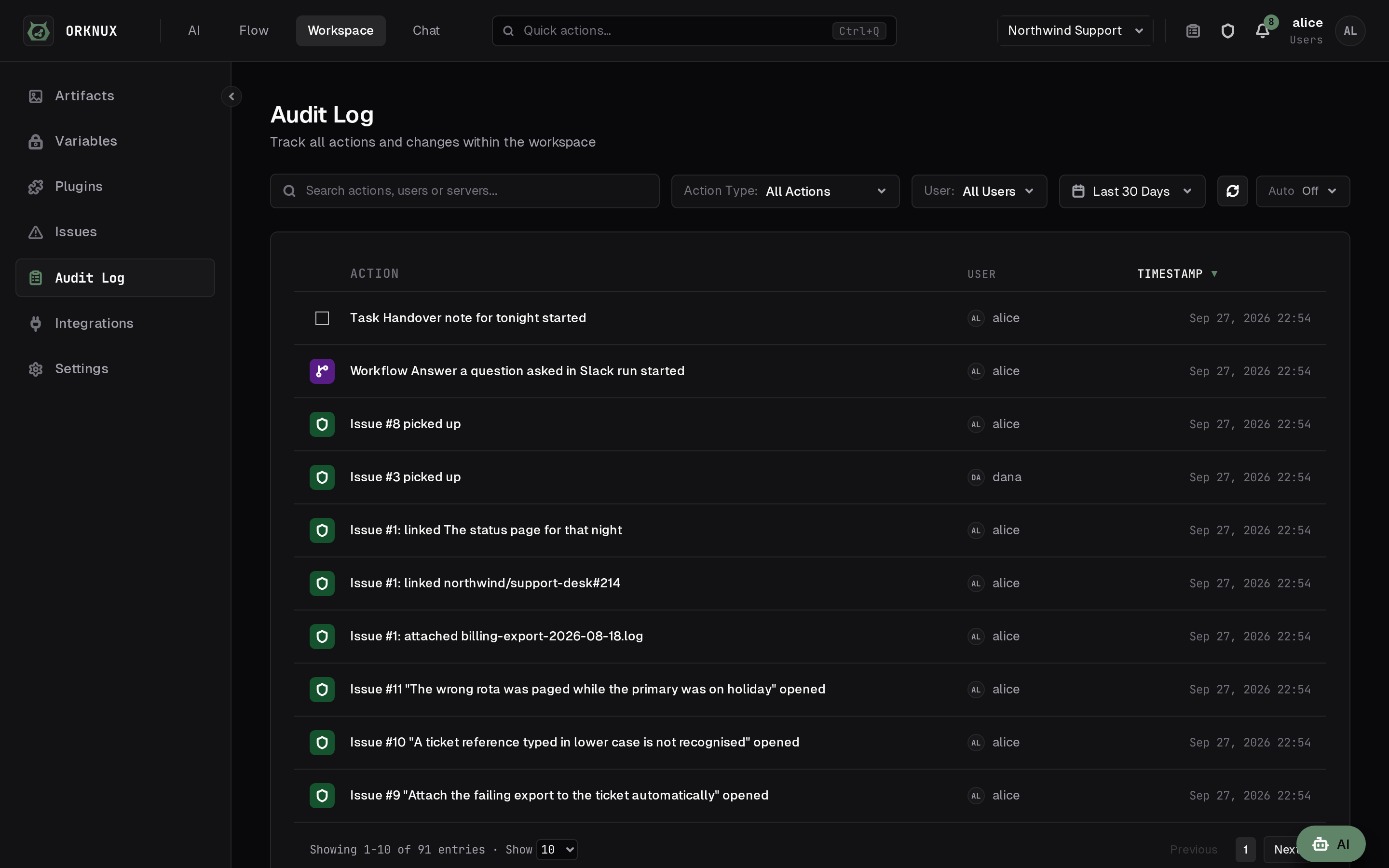
One audit row per change, attributed to the directory user who made it and worded the way the screen shows it. Each workspace has its own log, the organisation has one for what happened to the workspaces themselves, and revealing a credential is a change, so it is audited too.

Paths that fork run at the same time

A node drawn with lines to several others starts all of them at once rather than one after another, and a node where the paths meet waits for every one. A failure on one path does not stop the others: they finish, and the run ends failed with all of their work on the record. How many steps of one run work at once is a setting.

A failure is something you can plan for

An action and an agent each carry retries of their own: how many goes in all, what to wait before the second, and what to multiply that wait by after each one — with a line underneath saying what the three come to, up to 5 attempts over about 2m, because nobody works that out in their head. Behind them sit a ceiling on the wait, jitter so a hundred runs that failed on one outage do not all come back at the same instant, and a wall-clock budget that can stop a node with attempts still in hand. A failure that is already settled never spends one: a request refused for what it said will be refused the same way in ten seconds. A rate limit spends none either — it is waited out for as long as the provider asks, including one that arrives halfway through an answer that was already streaming.

A dead server does not lose the step

A killed process says nothing, so a step it was in the middle of is noticed only by something looking. On Temporal a step reports that it is alive while it works, and one that falls silent is handed to a server that is — seconds later rather than when the whole step timeout runs out. Without Temporal, an agent answering a message is asked again after the restart, a bounded number of times, because the step may be what killed the server. Neither writes the question into the conversation twice, and both numbers are settings rather than variables somebody has to redeploy to change.

Or something the graph answers

Turn on When it fails and the node grows a second handle — a red If fails line beside the green If works one — and the run carries on down whatever is wired to it rather than simply stopping. Both ways out can be renamed, the same as a condition's two, because the words beside the handles are most of what makes a graph legible. The step records its failure either way; what changes is whether anything happens next.

Every publication is kept

Saving and publishing are two different acts, and it is the published copy that runs. The workflow's settings list every publication with when and by whom, mark the one in service Live, and Restore puts an older one back — by publishing it again rather than reviving its row, so a rollback is something that happened rather than a gap where something used to be. The draft on the canvas is left alone, because it is what somebody is in the middle of and nothing else would bring it back. How many days of history to keep belongs to whoever owns the disk; the live publication is never swept, whatever its age.

The graph is checked by ports

Every node reports what it needs and what it hands on, and an edge is sound when what flows in covers it. Only shapes that could never run are refused on save; the rest is advice beside the canvas, because a workflow is drawn before it is finished.

The tracker

A report belongs beside the thing it is about

Every workspace has a tracker of its own, and it is small on purpose: no projects, no milestones, no boards and no workflow of its own — a title, what is wrong, who is looking at it, and the conversation underneath. The alternative is a link to another product, which is a link nobody follows while they are in the middle of fixing something.

Open, in progress, in review, closed — or your own words

The statuses are the workspace's to decide: those four until an administrator renames, adds or removes them, because one team's review is the next team's waiting on the customer. One search box over the title, the description and the labels together, because somebody typing a word means any of the three. Sorting is the server's over the whole tracker rather than over the rows on screen, and every filter is in the address — so the open p1 ones is a link somebody can send rather than a paragraph of instructions.

Assigned to a person, an agent or a model

One box over all three, because work handed to an agent is still work somebody wants the state of. Numbers are counted per workspace, so every workspace has its own #1. Addresses get a row each under Links rather than being buried in the prose, and a screenshot pasted into the box you are typing in attaches where you pasted it.

An issue can point at another

Relates to, blocks, duplicates — and the link shows on both ends without the far one being touched. Both histories record it, because being blocked is news: it changes what to do next for somebody who is not watching the issue that caused it.

Told, rather than having to look

The bell carries what is waiting: assigned to you, a state changed, a new comment, your name written in one. The feed crosses every workspace your roles let you see, and you are never told about your own doing. The same news is posted to your address as well, from the same desk rather than under a second set of rules — where the installation has a mail relay configured, where you have an address on file, and until you turn it off under Preferences. The subject says who did what to which issue and never a word of what was written, because the subject is what a locked screen shows.

What an issue is, as well as what it is about

A type is the workspace's own — every one starts with bug and feature, and an administrator adds, renames and removes them, because one team files bugs and features and the next files incidents and requests. An issue has one or none, which a set of labels cannot say; it is renamed in one place and every issue on it reads the new word at once, while the history keeps the word each change was made under. Removing one is refused while issues still carry it, and the refusal says how many. Issues filed before the workspace had types stay untyped, and Untyped is something you can ask the list for — a default would have been the tracker claiming a year of work was all bugs.

Or handed to an agent, from the issue itself

An issue assigned to an agent offers Start by AI. It hands over the issue as a person would read it — the number, the title and the kind, the labels, the description whole, and the thread oldest-first with who said what — moves it to in progress, and says so in the thread under the agent's own name with a link to the task, so you can watch it work. Pressing it twice is safe: an issue with a task already on it refuses a second and draws what is running instead. Nothing moves the issue afterwards, because the status is your statement about your own tracker rather than the machine's.

And the people who asked to hear about it

News about an issue used to reach exactly two people: whoever filed it and whoever holds it. That is the right pair for work somebody has been handed and nobody at all for work that has not — an assistant filing what it found, assigned to no one, writes a careful report into an empty room. Watch this issue puts you on the list, and an observer hears everything the reporter does, including it being reopened long after it was closed.

An assistant can file one, and be told

The tracker is offered over MCP as well as through the page — list, read, comment, type, label, close, and open one. There is a tool for the types a workspace files beside the one for its labels, and it is worth calling before filing: a label can be invented on the spot and a type is chosen from the list. Something that finds a problem and can only describe it in a conversation depends on somebody else writing it down. A filed issue is under the name of whoever asked and assigned to nobody, because deciding who should look at something is a judgement for a person. One tool answers slowly on purpose, holding the call open until something happens.

The marketplace

What other people have already written

Plugins and templates published here, for installations that would rather start from somebody else's workflow than from an empty canvas. Everything on it runs on your own installation, which is the reason to read one before you install it.

Plugins and templates

A plugin adds something a workspace can use, and it is more than a bag of functions: it may also bring tools an agent can be granted, which appear in the workspace's own list with the plugin's name beside them, skills granted as a catalog, the object shapes its functions return so a node can hold an answer to one, and the libraries it embeds. A template is a workflow already drawn, to open and change rather than to build from nothing. Both are listed with who published them and which version, and reading either needs no account.

Taken from inside the installation

A server reads this catalog itself: beside its own list of loaded plugins is the shelf of published ones — icon, description, tags and the versions there are — searchable, and installed with one press. The server fetches it rather than your browser, through the same proxy rules every other outbound call obeys, so an installation behind a proxy reaches the marketplace under the rules it already has and one with no way out sees an empty shelf rather than a browser error. What arrives is hashed against the digest published here and refused if the two disagree; an update is offered only when it is newer than the version held, and the notes its author wrote for that release are readable before it is taken. Which address is asked is a setting, so an installation can be pointed at a mirror of its own — or at nothing, and load plugins by hand.

And a plugin says what it needs before it is loaded

The list it may ask from is closed and short — a locale formatter, a text encoder, a clock, the server's log — and there is no name on it for reading a file, opening a socket or reaching a Java class, so nobody can grant one by clicking through a dialog. Loading one that asks for anything stops and shows a row per name over Allow and Load, and agreement is by name rather than by yes: a plugin edited to need one more is refused with the new list, so an escalation cannot arrive under an answer somebody gave last month. What was accepted, by whom and when is on the row.

Reviews, one to a person

What somebody thought after running it, with a rating out of five, and one review each — somebody who changes their mind edits theirs rather than voting twice. A listing nobody has reviewed says so instead of showing five empty stars.

Signing in is Google or GitHub

Only to review something or to publish one; browsing needs nothing. No password reaches this site, there is no sign-up form and nothing to reset — each provider says who you are, and what is kept is the name they gave.

Self-hosting

One process, one database, nothing phoning home

It is meant to run inside your own network, on hardware you already have, against the directory you already sign in to.

Your directory decides

Accounts come from your organisation's provider — a directory you sign in to with the username and password you use elsewhere, a single sign-on provider that answers for you, or GitHub — and the few made here are for somebody it does not know. What you see afterwards is the roles its groups and claims map to — a group named on a workspace grants it, a workspace with no group is administrators only, and which role is the administrator is a setting rather than a hardcoded name. A role can also administer one workspace without administering the installation, which is why it is ticked per workspace: the same person can lead the support workspace and merely work in the backend one.

Everybody it knows, and where they came from

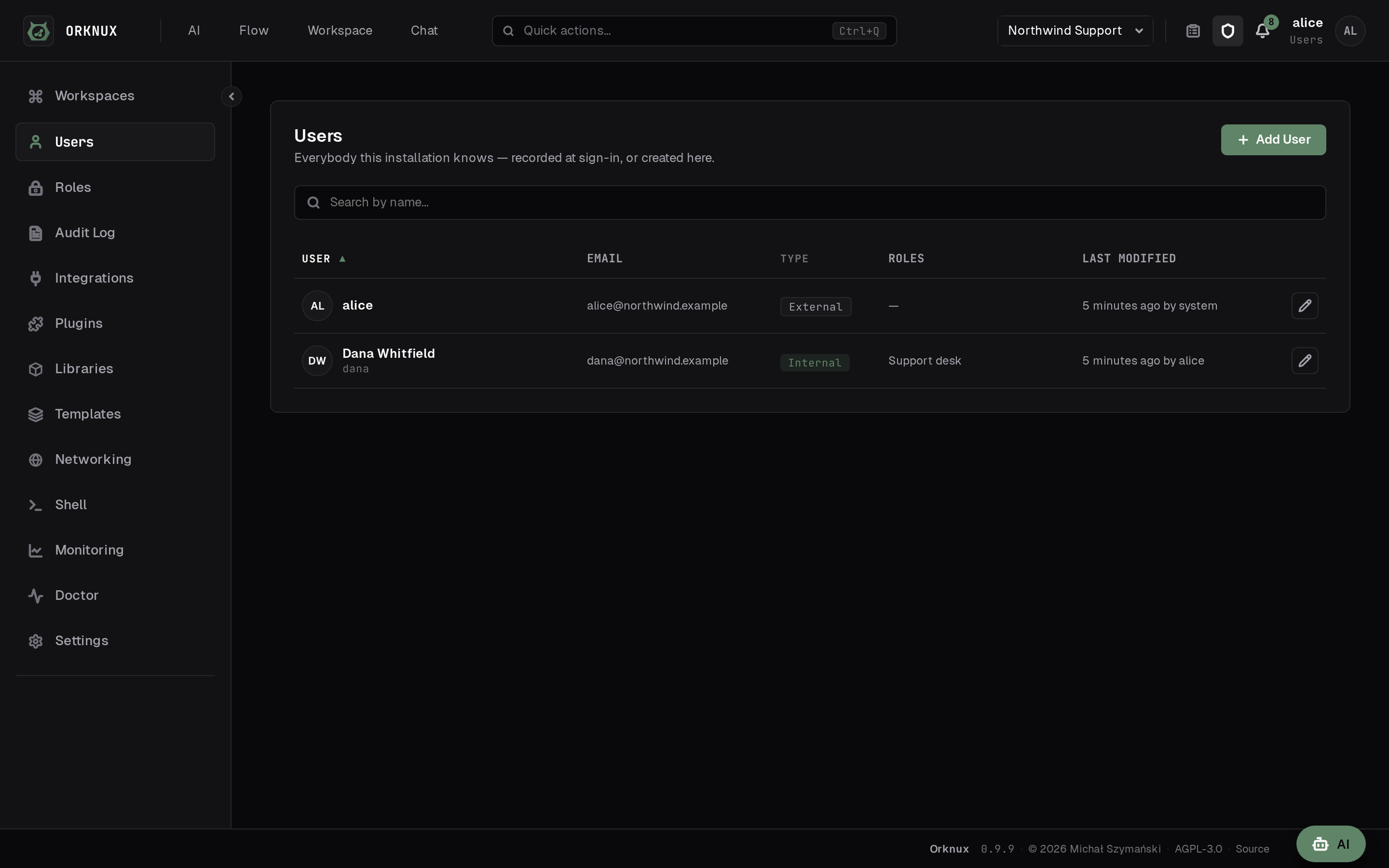
External users are recorded the first time they sign in, and the provider stays the thing that says who they are. Internal ones are made here for somebody it does not know — a contractor, a service, a person who needs one workspace and nothing else — and the badge on the row says which kind you are looking at.

One person's page

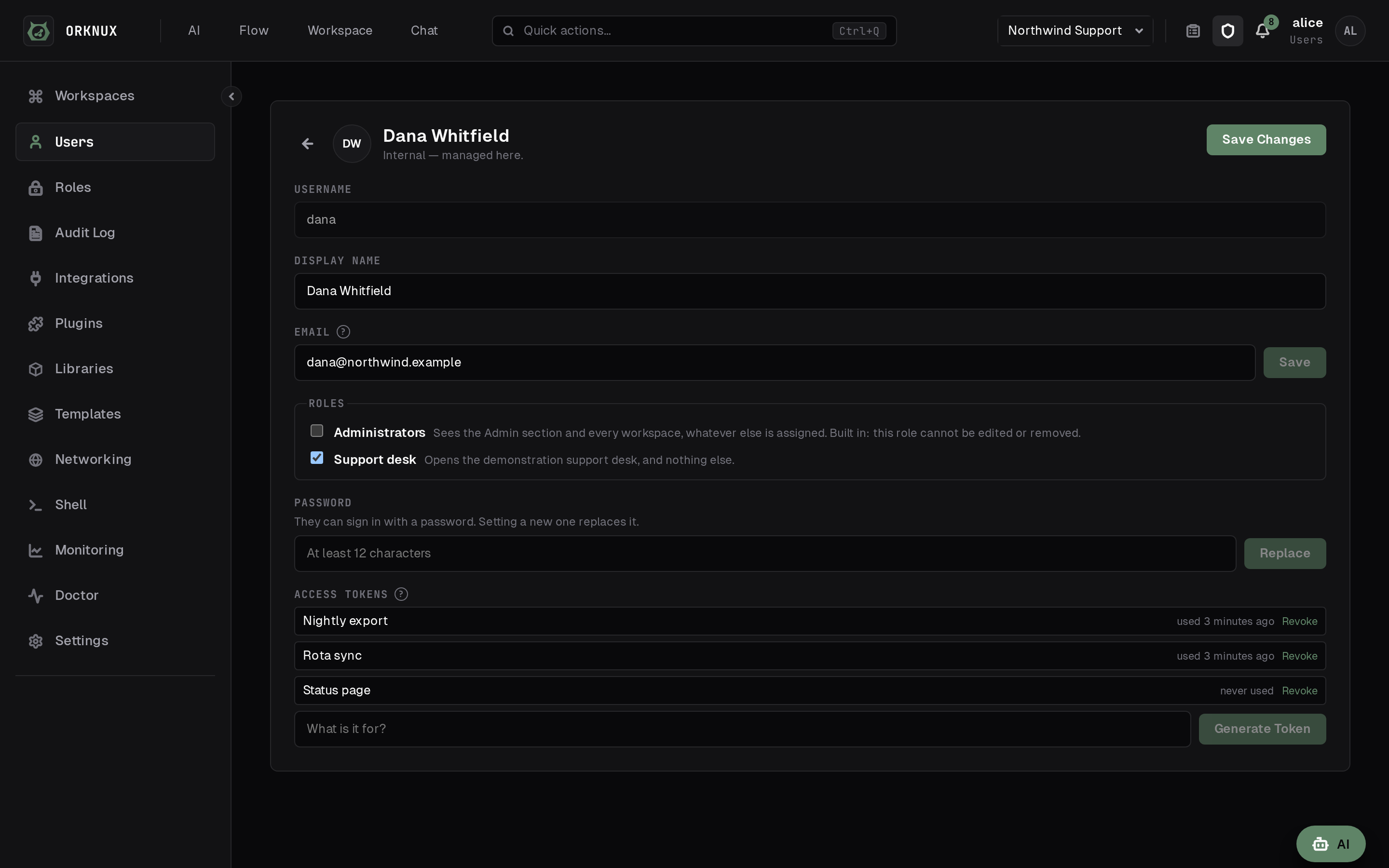
The roles they hold, a password if they need one, and the access tokens they carry. An administrator setting a new password is not asked for the old one, because that is how somebody locked out gets back in; changing your own does ask. Internal users are tried before the directory, so they still get in on an installation where everybody else arrives through single sign-on.

Slack without an inbound rule

A Slack connection takes a bot token, and the app-level token beside it decides what the connection does: given one, orknux dials out on a websocket and listens for mentions; left empty, it only sends. Either way there is no public URL, no tunnel and no firewall change, and one property stops it opening sockets at all. It is asked for neither an address nor how it authenticates — there is one Slack Web API and a bot token is a bearer token, so a field offering to change them would be showing you a decision it is not making.

The machines an agent may run commands on

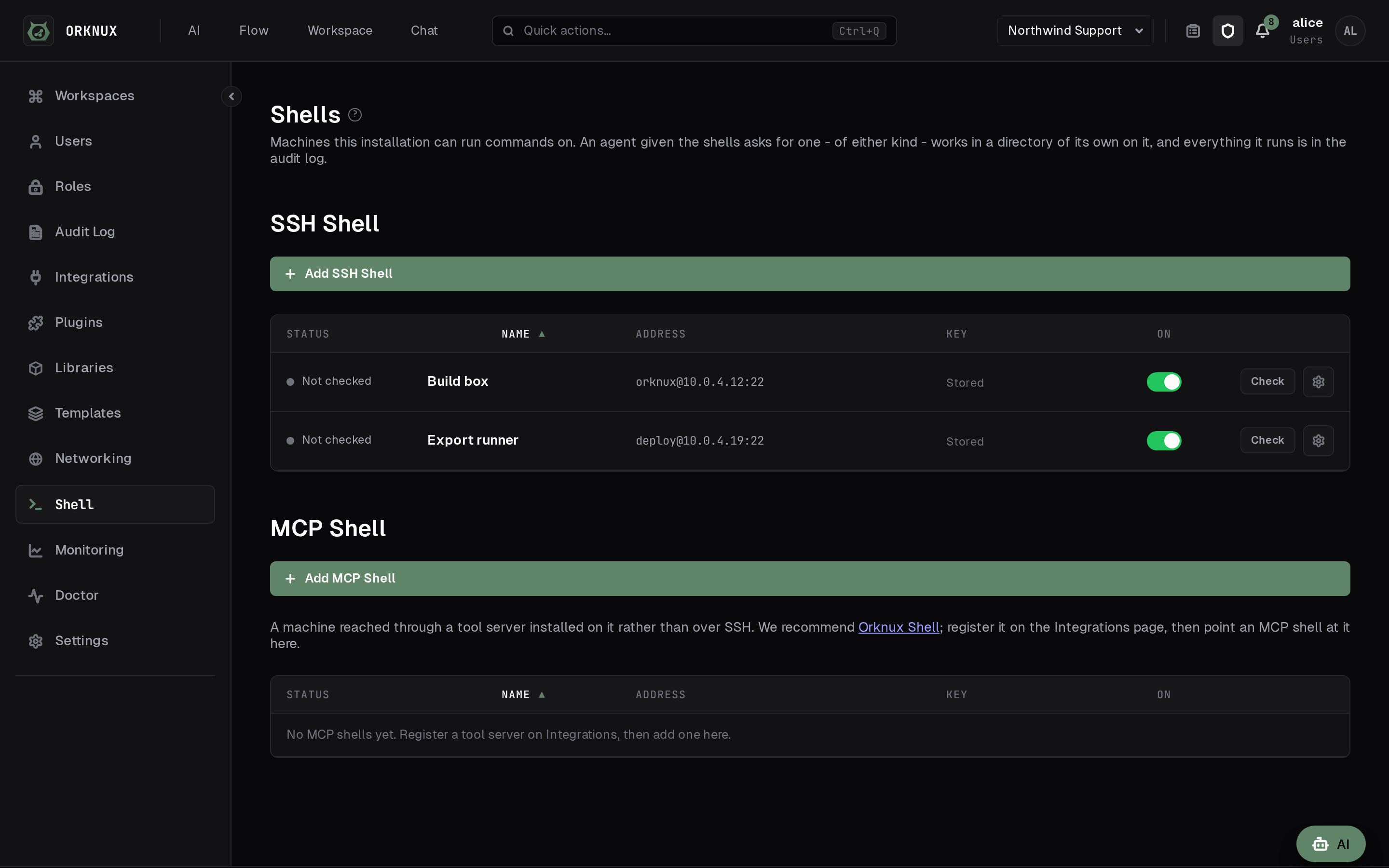
A shell is an SSH target: a host, the account to log in as, and a private key. There is no password field, deliberately — a password is a thing a person types, and this is one machine talking to another. The host key is remembered the first time it is seen and checked every time after, so a host answering with a different one is refused rather than trusted quietly, and the status shown is a real connection with a command actually run: a machine that answers on port 22 and refuses every account reads as unreachable rather than as fine. How long a command may run and how much of its output is kept are the installation's numbers, and a machine can be given its own: a box built to compile things wants longer and more than a switch that answers show interfaces. What is cut from a long output is the middle rather than the end, with a line saying how many bytes went, because the answer is at one end or the other and almost never in between.

One address that will not go direct

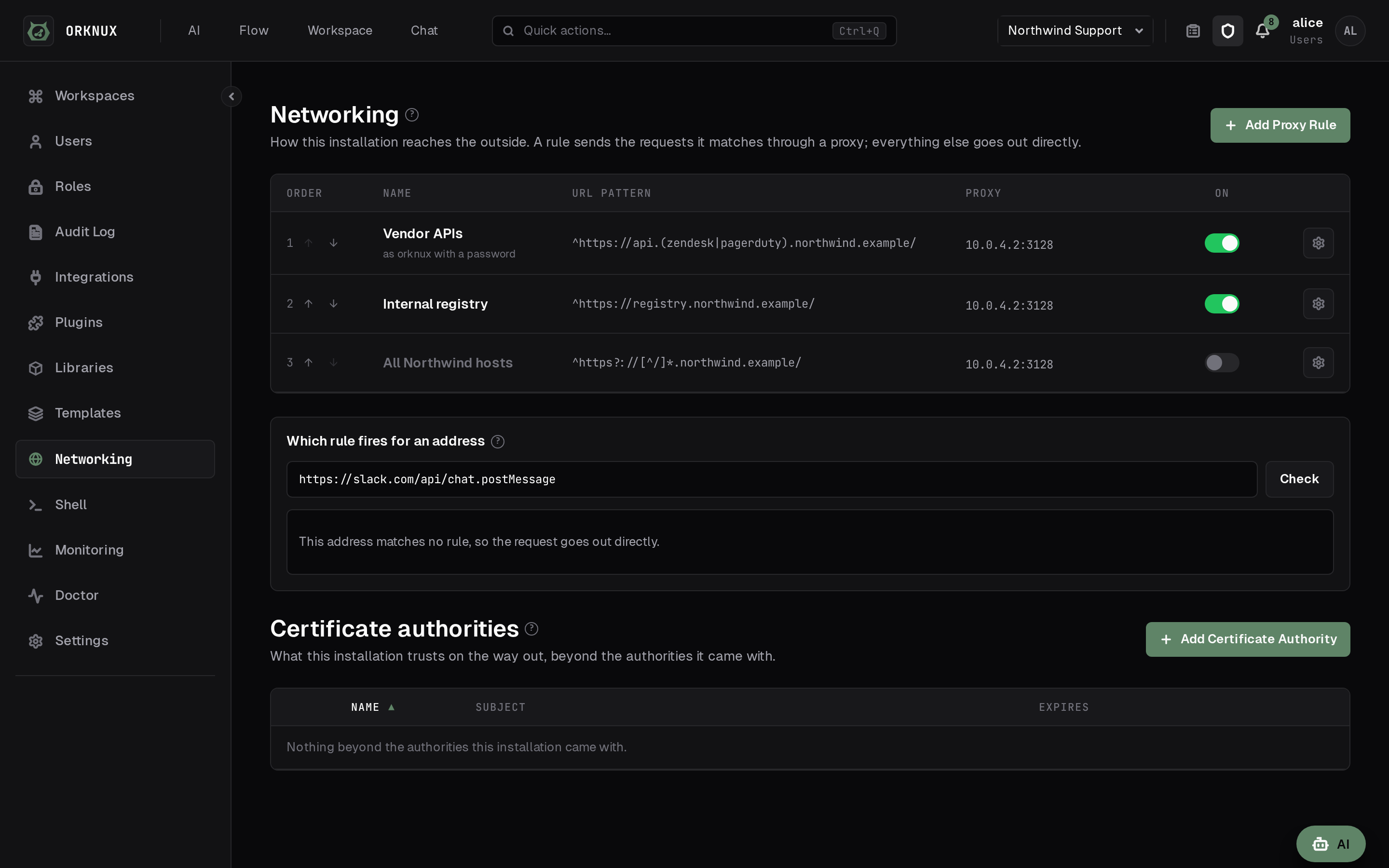
Proxy rules, each a regular expression matched against the address being called, read in order, first match winning. It is built for the narrow case: everything works except the one endpoint the network insists is reached through a proxy, and setting a proxy for the whole server would be a far larger decision than that address asks for. A tester on the page says which rule answers a given address, and which matched but will never fire because something above them got there first. The same page holds the certificate authorities this installation trusts, as well as the roots it already trusts and never instead of them — a server behind a private or self-signed certificate is reached by pasting the authority's PEM here rather than by rebuilding a container image to get at the JVM's own trust store. The hostname is still checked and the chain still has to build; there is deliberately no trust-everything switch.

The configuration file is the floor

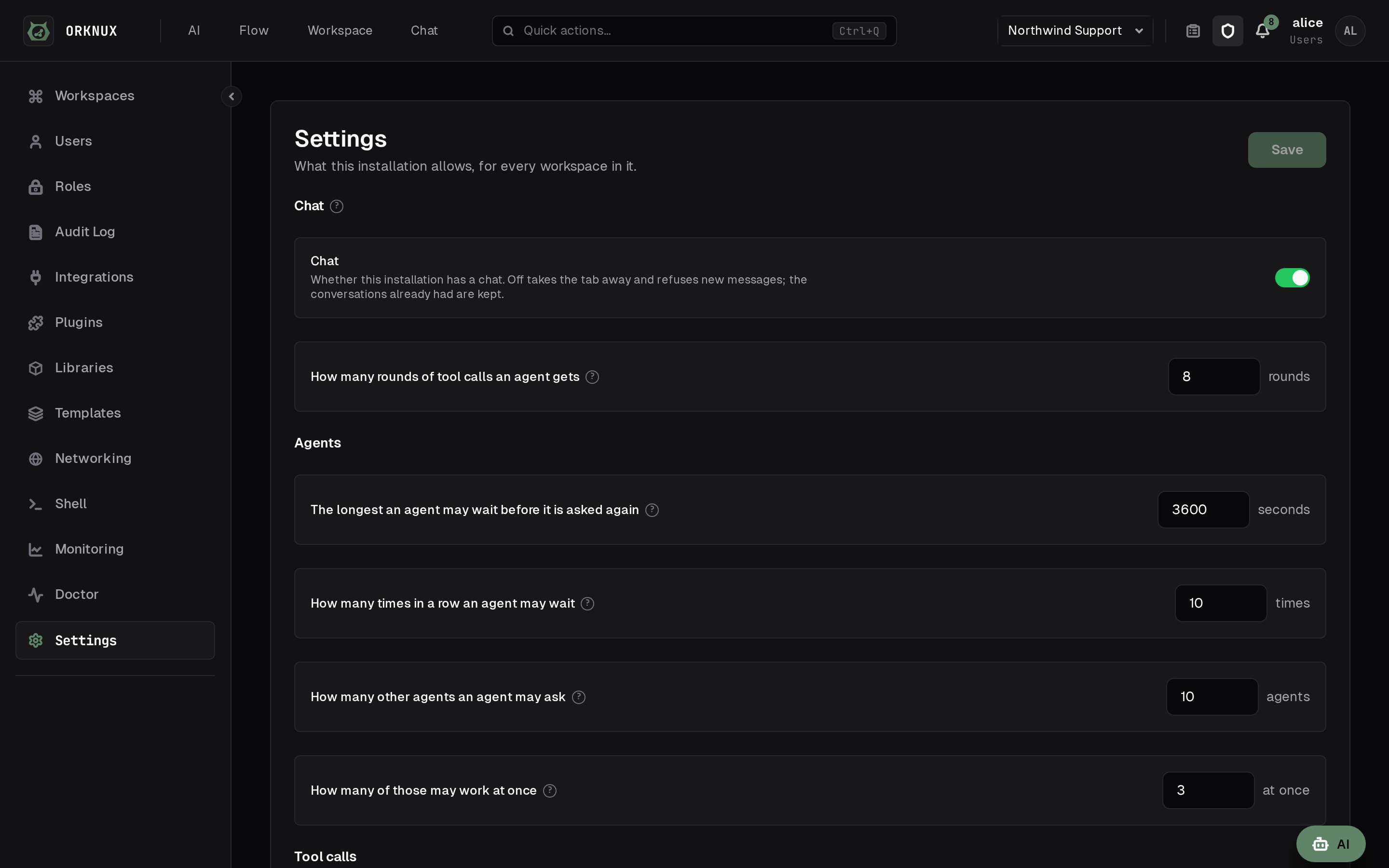
Whether this installation has a chat at all, and whether messages may carry files, are switches an administrator can press. What the operator wrote in the YAML is shown beside them, read-only: off can be pressed here, on cannot, where the file has said no. How long a component's history is kept is the one thing on that page it is not the floor of — once an administrator has stored a number, that is the number in force, and the page says as much where the two disagree.

One deployable

Kotlin on Spring Boot, built from modules the compiler keeps apart, beside a Postgres. Flyway owns the schema and JPA only validates it, so the migrations are the only thing that changes the database. The server's image serves the interface itself, so it is the whole product, and it is sized to run in a 2 GB container rather than to grow into memory the container does not have.

It updates itself, and only to what was signed

Admin → Updates lists the releases newer than the one running, with their changes, and installs one in place — or takes a jar uploaded by hand, or fetches one from an address of your own, such as the Artifactory a platform team fills. Every jar has to carry the release signature the image trusts and is checked again at every start; the last few are kept and any of them can be rolled back to, unless the schema has moved past it. A release that will not start ends on the image's own jar rather than in a crash loop. Where every version that runs has to be approved, one variable switches all of it off and another pins the version.

Turn the logging up without a restart

The root level and any logger by name, from the settings page, applied on every server within half a minute, kept across restarts and written to the audit log. A level below INFO goes back by itself after an hour, so a DEBUG somebody forgot does not fill a disk.

The JavaScript every script may import

A library is code the installation loads once and a workspace's functions and tools import under a name of their own — a date handler, a parser, something too large to paste into every script that needs it. Where a registry is configured it can arrive as a package at an exact version rather than as an upload: never latest, because a version that resolves differently tomorrow is not an answer to what is running here. It is fetched once, on the server, into this database, and what the registry said the file hashed to is checked against what came. Removing one that something imports is refused by naming what imports it.

There is a terminal client as well

orkx signs in, picks a workspace, starts a workflow and reads what it did, talks to a chat, manages variables and plugins, and asks whether the installation is configured the way it believes it is. It is a client and nothing more: every rule about what you may see and do is the server's, applied by the server, so it can never be more permissive than the browser is.

Measured, if you want it measured

A Prometheus endpoint at /actuator/prometheus, carrying the JVM's own measures and three counters worth alerting on: runs started, finished and failed. It answers to anybody signed in; whether it also answers a scraper that has not is a switch on the admin settings page, off until somebody turns it on.

Or the whole thing in one container

orknux-one is the interface, the server and a SQLite file in one image: docker run with a port and a volume is the whole command, and it migrates a fresh database, generates its encryption key, creates one administrator and prints the password it made up. Everything it is lives in one directory, so a restart is the same installation and a backup is a copy of it. It is for looking at orknux rather than for running on: no Temporal, so runs are not durable and a long wait fails by design; no directory and no single sign-on; and SQLite, with one writer at a time.

Nothing is sent anywhere

No telemetry, no licence check, and no hosted edition to be upsold to. An installation does not talk to this website or to us to run: it asks here only when an administrator opens the plugin catalog or the Updates page, and that address is a setting — a mirror of your own, or nothing. Signing in here is for the marketplace and reaches nothing you host. This page loads no fonts, scripts or images from anybody else either.

Getting it up

Run it

One container to look at it, or a clone with its submodule and a docker compose to work on it. The first build has to be online; everything after that is local.

orknux-one

docker run -p 8080:8080 \  -v orknux-data:/var/lib/orknux \  orknux/orknux-one         # it prints the password it made up

orknux-server

git clone --recurse-submodules …/orknux-serverdocker compose up -d              # postgres, openldap and temporal./mvnw spring-boot:run -pl app    # http://localhost:8080

orknux-ui

cd orknux-ui                      # the submodule, not a second clonedocker compose up dev             # http://localhost:5173

Sign in with a development fixture from the checked-in LDIF — alice sees every workspace, bob only the ones their groups grant. Temporal's own UI is on port 8233, for looking at a run that went wrong.

The repositories

The workflow editor: a trigger, two actions, an agent and the session node naming the conversation it keeps, with the fields each node passes to the next drawn as labelled references, and the selected node's properties — its agent, its parameters, its retries and what to do when it fails — open on the right.
A workspace's settings: what it is called, and the directory group that grants it.
The triggers a workspace defines, each with the workflow it fires and whether it is on.
An action definition: what it calls, the inputs it declares and the outputs it hands back.
A condition: the property it reads, the check it applies and the value it compares against.
The function editor: JavaScript, its declared parameters, and the result it returns.
A workspace's variables, values shown and secrets hidden.
An object definition, assembled field by field, so what travels between nodes has a shape.
A provider's page: the models hanging off it, and the answer to its last check.
An image node selected in the editor: the model it draws with, the size, and the prompt.
The builder, open down the left, with the graph it is being made for still on screen.
The command palette: pages and everything the workspace holds, each row saying what kind of thing it is.
The skill catalogs a workspace has, and the skills inside them.
A skill being edited: the header that names it, and the instruction under it.
A workspace's memory catalogs, and the facts written down in the one that is open.
The workspace's tools, each one a script or an MCP server an agent can be granted.
A conversation with an agent: the chats on the left, the thread and its composer.
Quick chat, open over the page, where a conversation can also be held by voice.
A picture asked for in a chat, drawn into the thread by the agent's drawing tool.
The Artifacts page: the pictures a workspace's runs and tasks drew, and the PDF one of them saved.
Every conversation this workspace's agents have kept, filed by key, with how much was said in each and when it was last spoken in.
One session: the turns in order, each labelled with who said it, and the kind filters above them.
The agents a workspace has defined, each with the model it answers on.
The tasks a workspace has started, each with the agent working it and where it got to.
A task being worked on: what the agent is thinking, the tools it called, and what each returned.
A task that drew: what the agent said, and the pictures under its outcome.
One run: every step it took, what each was given, and what each returned.
The executions list: what ran, when, and how each one ended.
The audit log: who changed what, and when.
The tracker: the states along the top, one search beside them, and the labels in use underneath.
One issue: what is wrong, what it points at, and the conversation underneath.
An issue's History tab: who opened it and every comment since, beside its status, labels and the people watching it.
The notification bell, open beside the account menu.
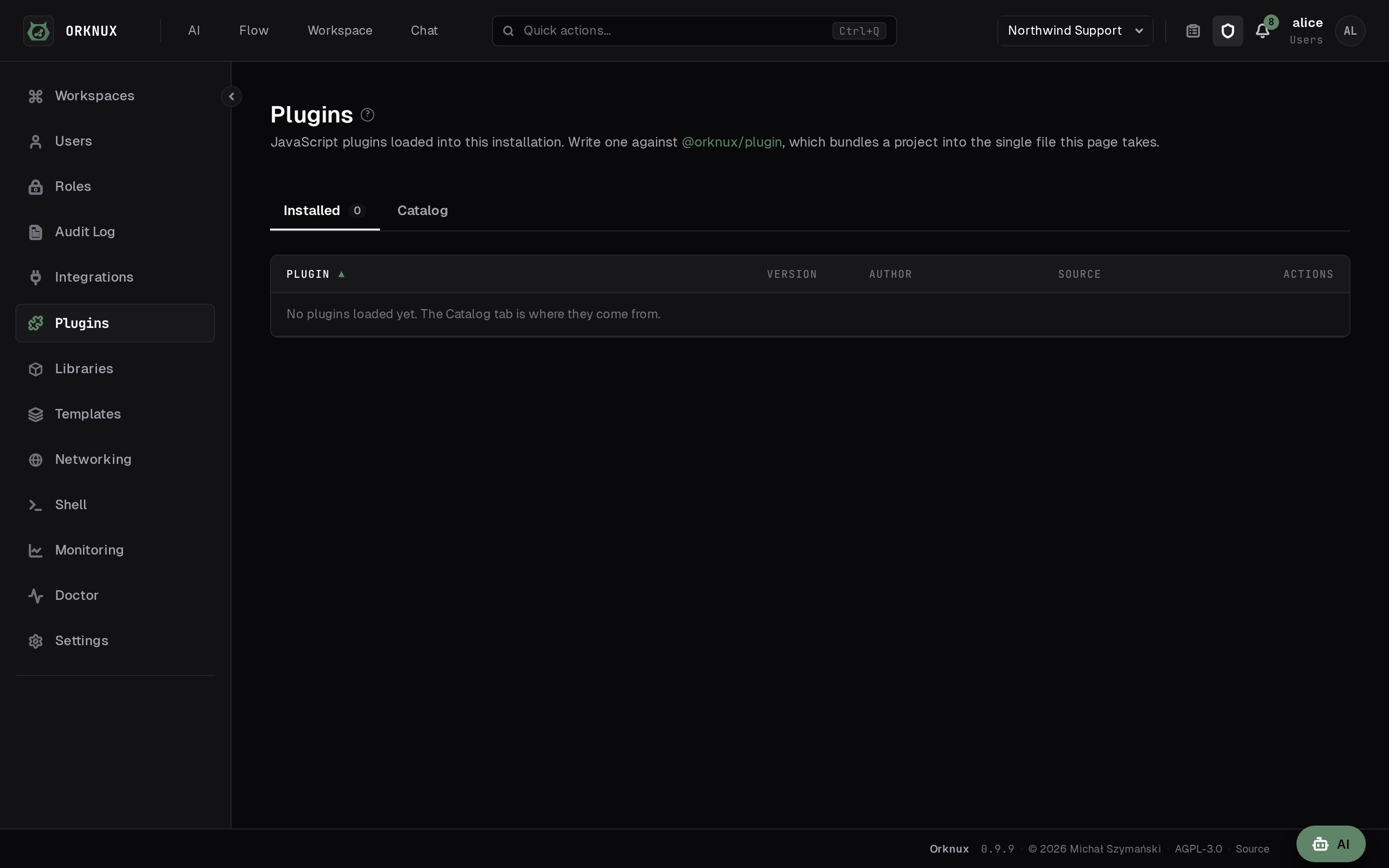
The plugins loaded into an installation, which is where something taken from the marketplace ends up.
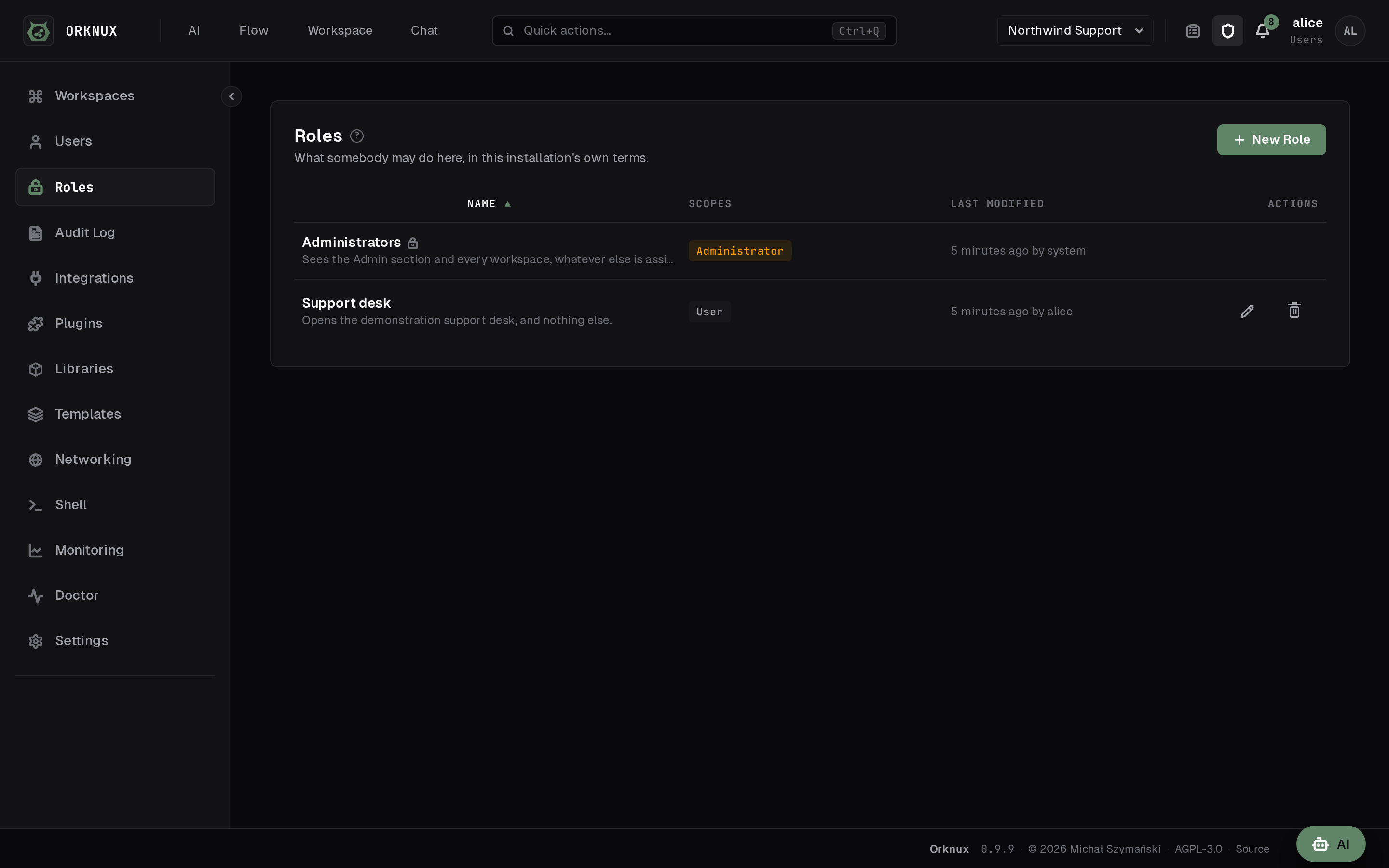
The roles this installation defines, and what each one opens.
Everybody this installation knows, each row saying whether they came from the provider or were made here.
One user: the roles they hold, a password if they need one, and the tokens they carry.
The connections an administrator has defined, and whether each one has been checked.
The machines an agent can be given, and whether each one answers.
Proxy rules in the order they are read, and the box that asks which one answers a given address.
The switches that belong to the installation, with what the YAML said shown beside them.
A workspace: the catalogue down the left, and the workflows it holds.
The sign-in screen: a username and password checked against the directory the installation is bound to, with no account created here.
An agent's settings: its model, its instructions, and the catalogs it holds.
The workspace's models, each hanging off a provider that holds the key.
A condition definition: the property it reads, the check it applies, and the values it compares against.
The functions a workspace has written, and what each one takes.
The tool editor: the script an agent calls, and the parameters it declares.
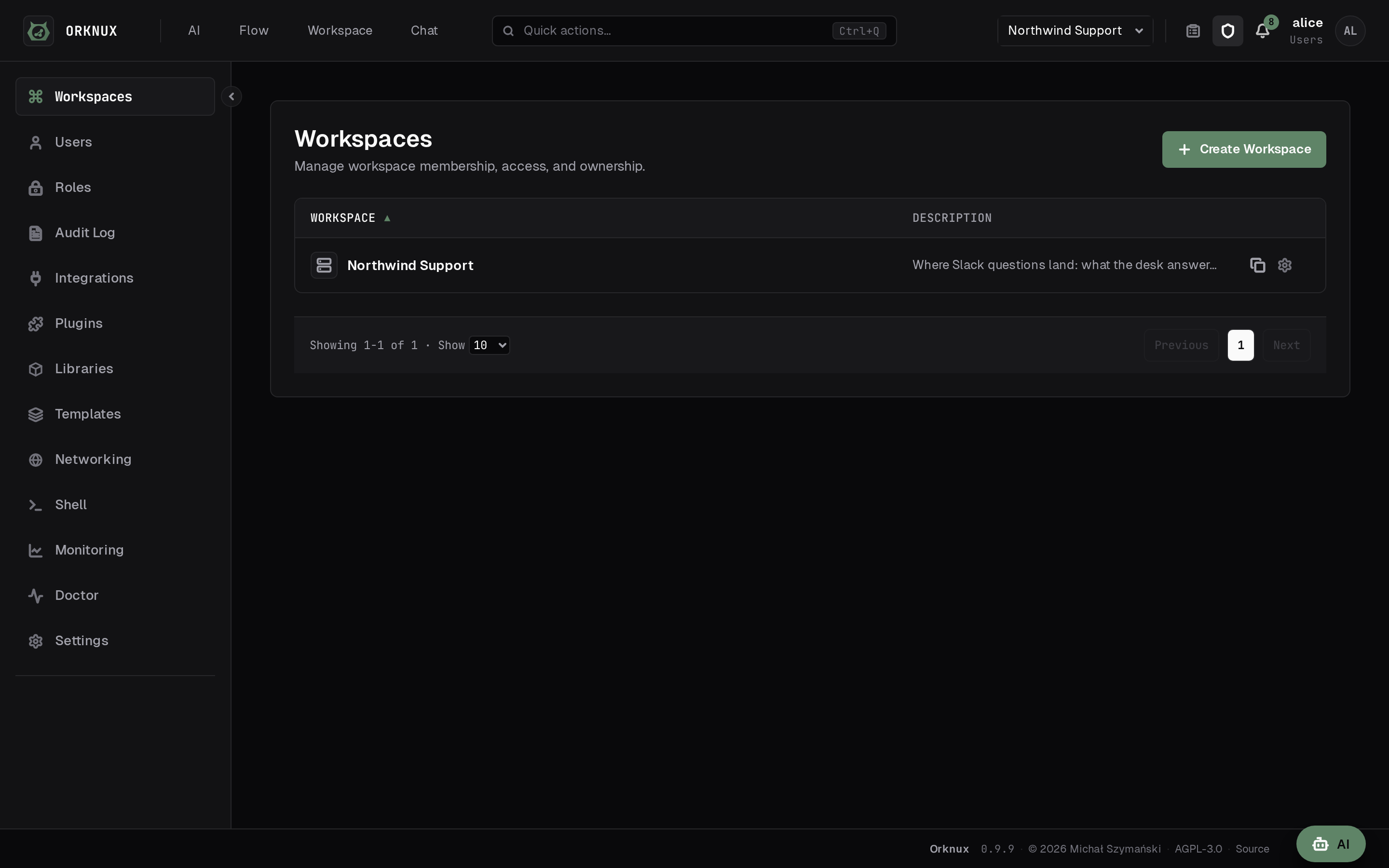
The administrator's list of workspaces and who each one is granted to.
Preferences, which follow whoever signed in rather than the workspace they are in: the theme, the language — English or Polish, including what the server refuses and why — and every keystroke the application listens for.
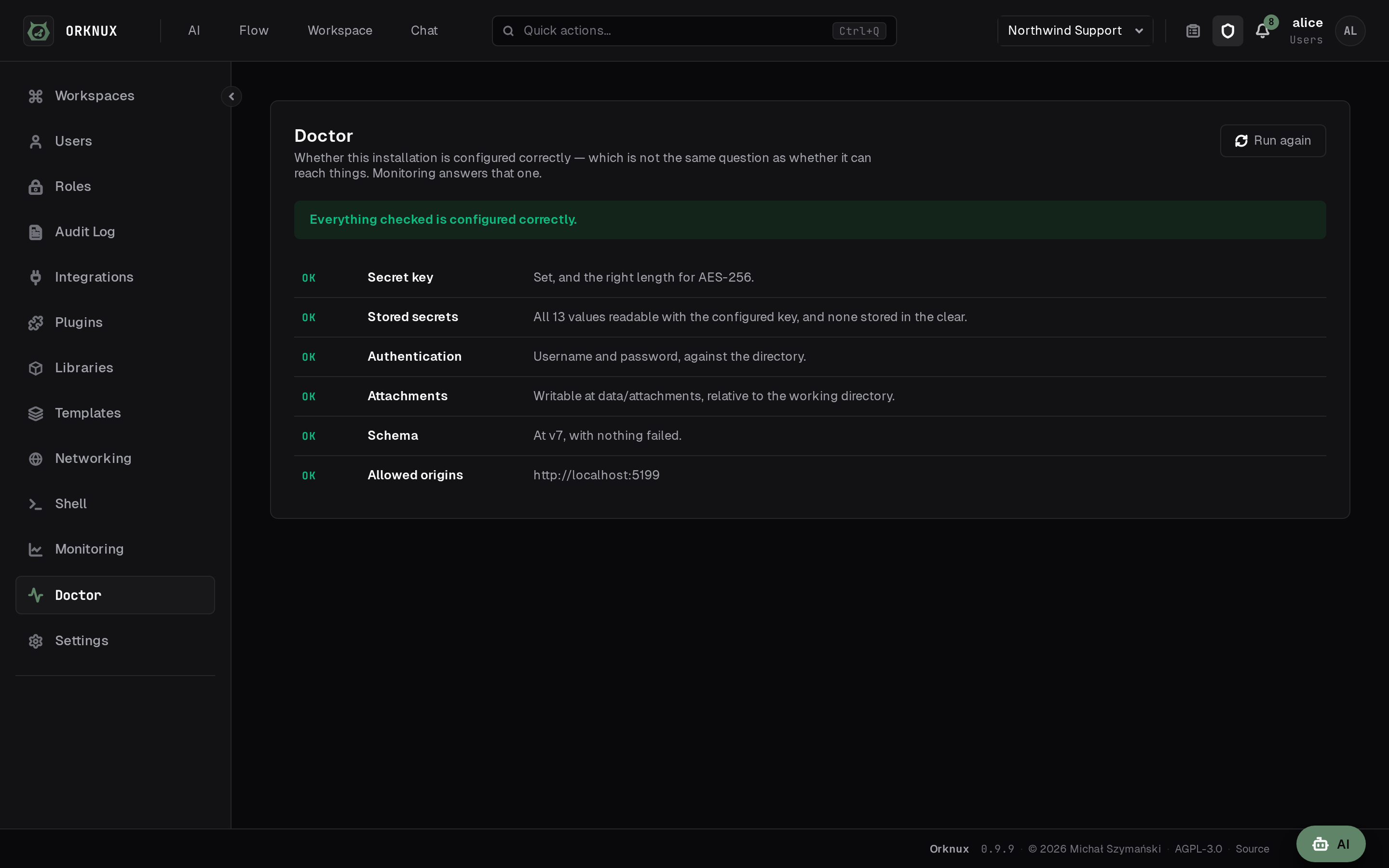
Doctor: every check the installation makes of itself, and what each answered.
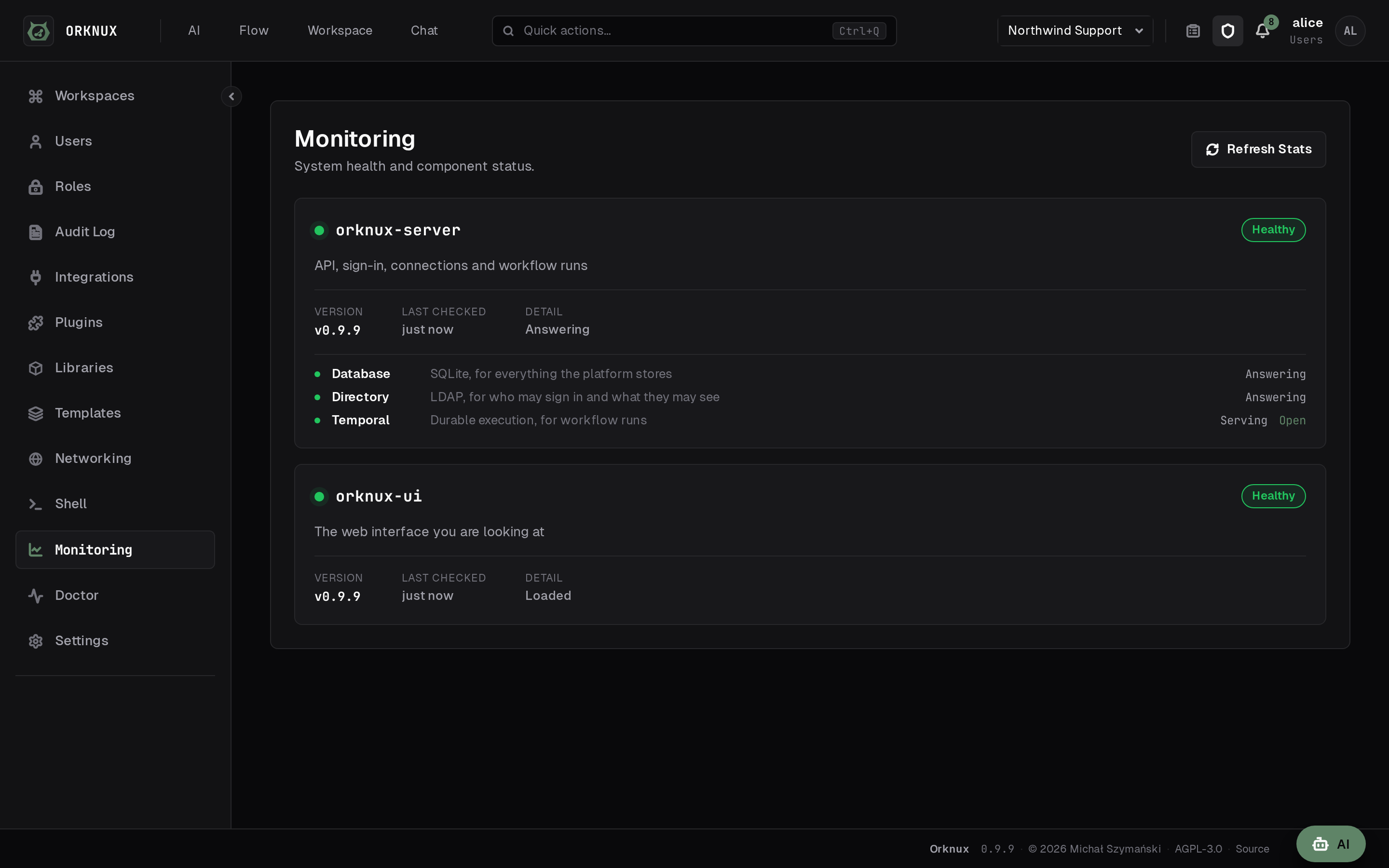
Monitoring: the health of the service and of everything it needs.