The admin section is for the organisation rather than for any one workspace.
It is offered only to holders of the admin role.
Workspaces
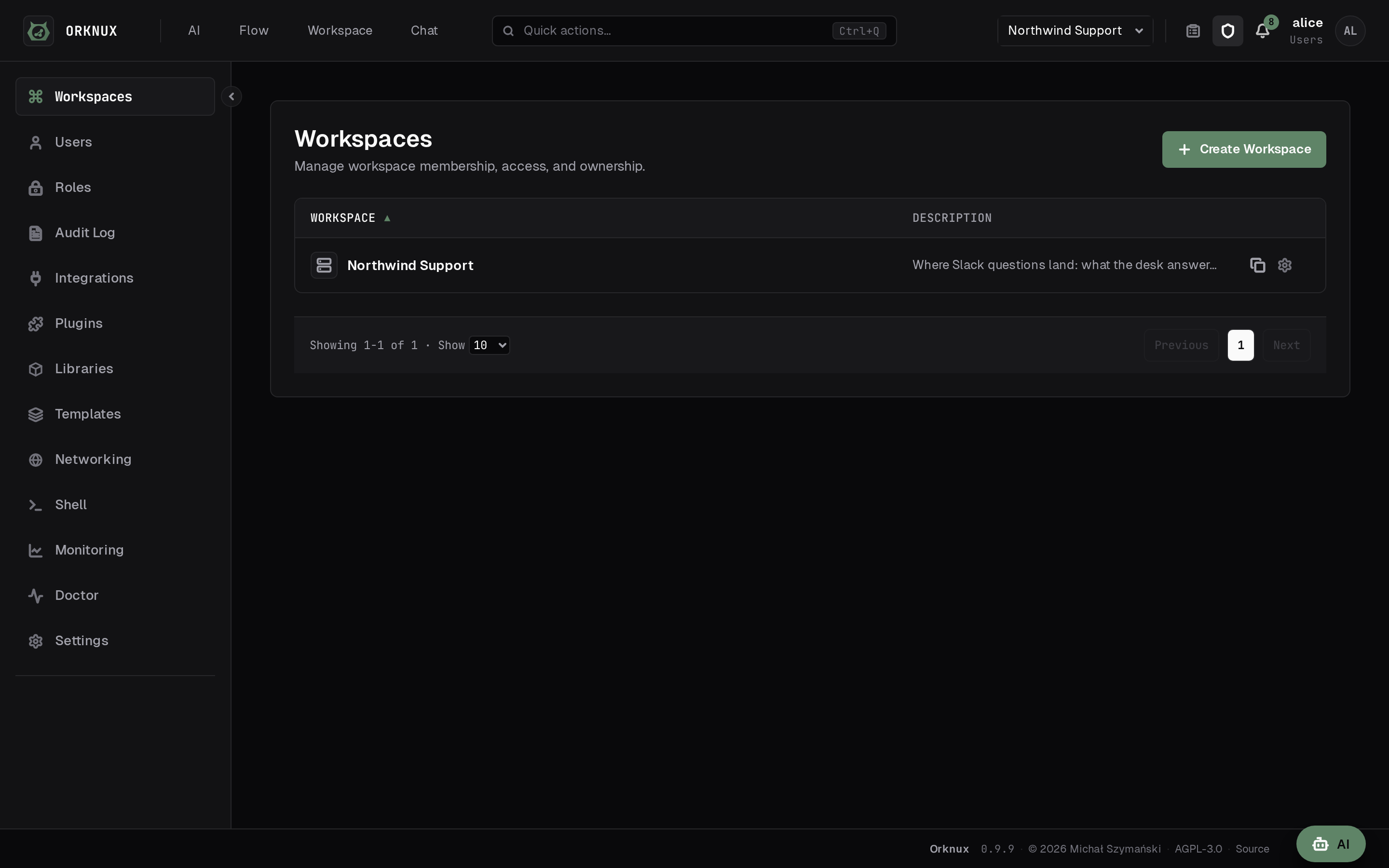
Create a workspace, rename it, give it a description, and assign the roles whose
holders may see it.
Deleting one is meant to take its contents with it, and today it refuses when
any of the workspace's agents is used by a node in a workflow — the workflow
still points at the agent, so the workspace will not go. Empty the graphs that
use them, or remove the workflows, and the delete goes through.
Duplicating one copies its setup: connections, model providers with their
models, MCP servers, objects, functions, conditions, tools, skills, actions,
agents, triggers and workflows. Its runs and sessions stay behind - a copy is
how a workspace is set up, not what it has done - and so do credentials:
connections, providers and secret variables arrive without them, and the answer
lists every one that needs setting. Anything that could not come is counted,
with the reason for each one step away.
Roles
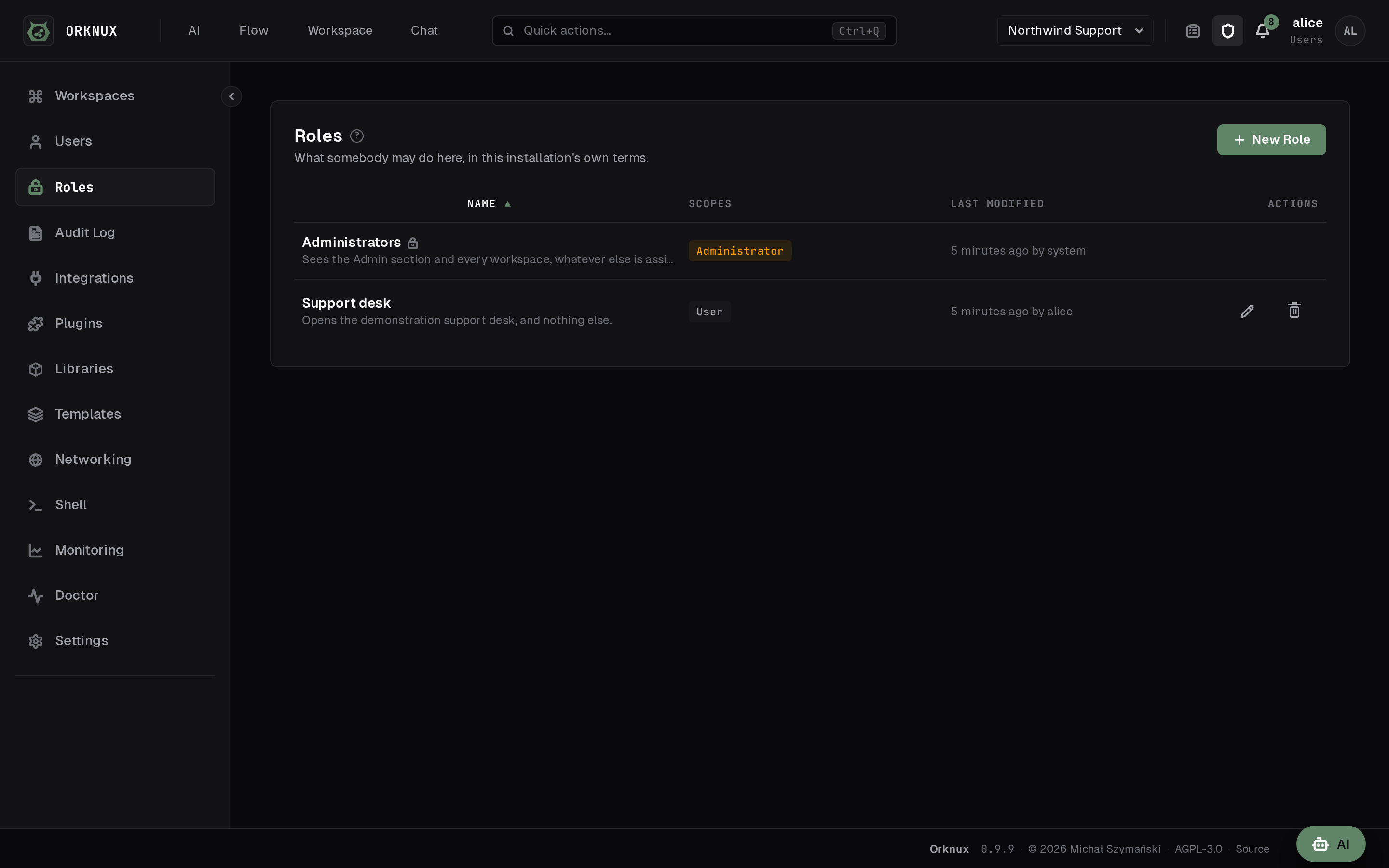
A role is what your provider says about somebody — a directory group, or a claim
from an OIDC provider — mapped once, here, to something this application
understands. Each has scopes, and for now those are admin and user.
Workspaces are then granted to roles rather than to group names typed in by
hand, so the same role can open several workspaces and a provider change is one
edit instead of many.
The built-in Administrators role cannot be edited or removed: an
installation that could delete its way out of having an administrator is one
nobody can get back into.
Users
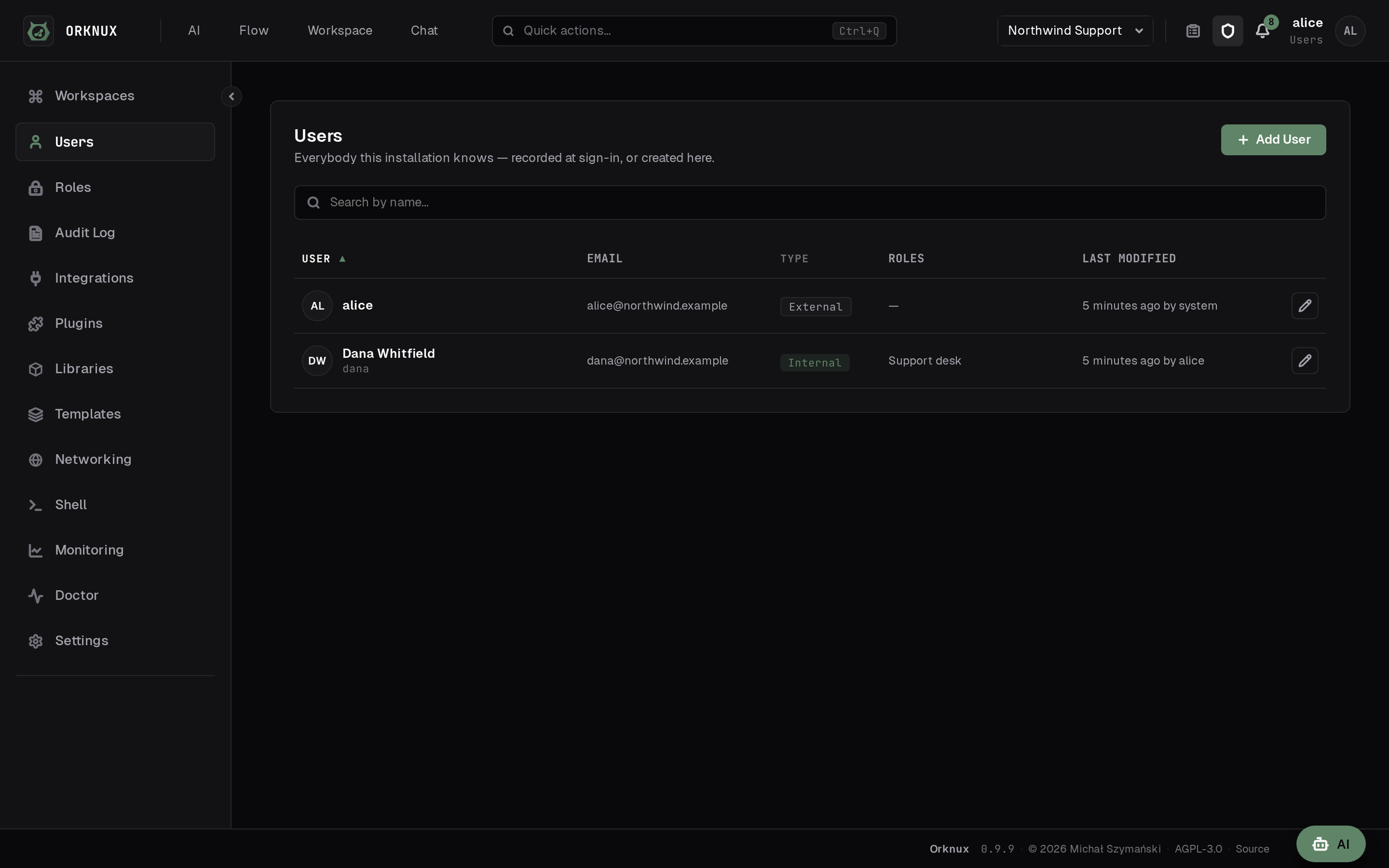
Two kinds of person appear here, and the badge on the row says which.
- External users come from your organisation's provider. They are recorded
the first time they sign in, and almost nothing about them is edited here: the
provider is what says who they are. Their email address is the one exception,
below.
- Internal users are made here, for somebody the provider does not know - a
contractor, a service, a person who needs one workspace and nothing else.
Administrators only, and only this kind can be created.
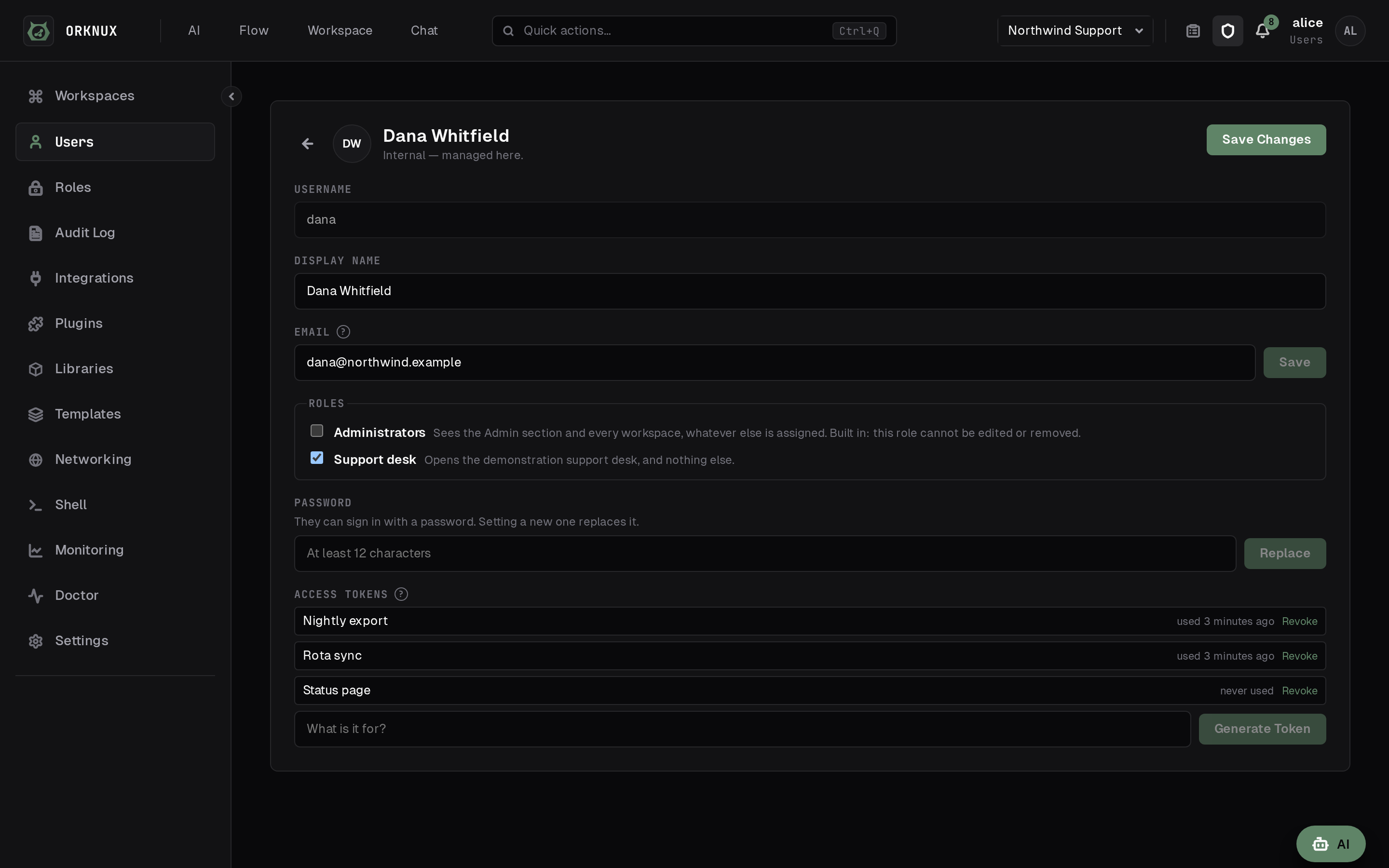
An internal user cannot sign in until somebody gives them a password, set on
their page and at least twelve characters long. Setting a new one replaces it
without asking for the old one, because an administrator doing this is how
somebody who is locked out gets back in. Changing your own password does ask for
the current one.
Internal users are tried before the directory when somebody signs in, so an
installation that authenticates everybody else through a single sign-on provider
still lets them in. Their roles then work exactly as anybody else's do.
The first administrator
An account here is either made by an administrator or written down the first time
a provider vouches for somebody. An installation running with neither LDAP nor
OIDC therefore has nobody to create the administrator who would create you.
Two environment variables settle that at startup:
ORKNUX_BOOTSTRAP_ADMIN_USERNAME=admin
ORKNUX_BOOTSTRAP_ADMIN_PASSWORD=at least twelve characters
One internal user is made, holding the built-in Administrators role, signing in
on the ordinary form. Nothing about it is special - internal users have always
been tried before the directory, whatever the configured method is - and
everybody else is then made under Users.
It only ever creates. An account of that name that already exists is left
exactly as it is, password and roles alike, and the log says it was left alone.
Otherwise leaving the variables set would put back a role somebody deliberately
took away, or reset a password somebody has since changed, on every restart. A
password shorter than the twelve-character minimum seeds nobody rather than
making an account nobody could use.
A password in an environment variable is a way in rather than a credential to
keep. Anything that can read the server's environment can read it. Sign in,
change the password, and unset both variables; every start says so in the log
while the account still has the seeded one.
Resetting a forgotten password
Reset, beside the password box on the sign-in page, asks for an address and
sends a link that lets somebody choose a new password.
The link works once, stops working an hour after it was sent, and using
it signs that account out everywhere it was signed in. The last of those is
the point rather than a side effect: the usual reason to be resetting a password
is that somebody else may know the old one.
Only an internal user who already has a password can be reset this way. A
directory or single sign-on account's password belongs to the provider, and
there is nothing here to reset.
The form answers the same sentence whatever the truth was - a real address, an
unknown one, an account whose password lives elsewhere - so it cannot be used to
find out who has an account here. That includes an installation with no mail
configured at all: the form still answers politely and the server log says why.
If links are not arriving, the log is where to look, because the form is written
never to tell you anything.
What it needs
The installation sends this mail itself, through a mail server of its own. That
is deliberately not a workspace's SMTP connection: that connection belongs to
that team, and a reset link that stopped arriving the day they rotated their own
password would be a poor way to find out.
orknux:
  mail:
    host: smtp.example.com
    from: [email protected]
    port: 587            # optional; follows security when left out
    security: STARTTLS
    username: ''         # empty sends without authenticating
    password: ''
  web:
    base-url: https://orknux.example.com
base-url is the address this interface is reached at, and the link in the mail
is written from it. It is configuration rather than something read off the
request, because the Host header on a request is written by whoever is
calling, and a reset link is exactly the thing not to let a caller choose the
address of.
Too many wrong passwords
Signing in used to count nothing, so a username somebody knew existed could be
guessed at as fast as the network allowed - and under LDAP every attempt landed
on the directory as well.
Wrong passwords are now counted, per username and per calling address both. The
first few cost nothing - five in a row against one username, twenty from one
address - and after that there is a pause before each further attempt, which
doubles and then stops growing. Somebody made to wait is told so, and told how
long to leave it.
Nothing locks. The pause always ends, a successful sign-in clears the count,
and so does a quarter of an hour of quiet. That matters more than it sounds: a
lockout would mean anybody could shut a colleague out by guessing at their name
badly on purpose. The counts are kept in the server's memory, so a restart
clears them and two instances each keep their own.
The Reset form above is counted separately, for the same reason and by the same
arrangement, so somebody hammering one cannot hold you up on the other.
Email addresses
Every user has an address: somewhere to write to them, when anything needs to.
It arrives on its own. The directory's mail attribute, or the OIDC provider's
email claim, is read at every sign-in and kept in step with whatever the
provider says, so for most people the field fills itself and is never touched.
Somebody who wants a different address sets their own in Preferences. An
administrator can set anybody's from that person's page under Users, external
users included - which is the point of the arrangement, since an external user
is exactly the person whose provider might have the wrong address or none at
all. Once an address has been typed, sign-in leaves it alone. A directory that
overwrote a chosen address every morning would make the field useless: the edit
would last until the next time that person arrived.
Clearing it hands the field back to the provider. The next sign-in seeds it
again from the directory, as though it had never been set.
Access tokens
A token is a way of being a user without a browser: it is what an agent, a
script or the MCP endpoint uses. They are made on a user's page under Access
Tokens, named for what they are for, and the secret is shown once.
- It begins
orkx_, so one that has leaked is recognisable on sight in a log or
a paste.
- Only a hash of it is stored, which is why there is no way to see it again.
- It is sent as
Authorization: Bearer orkx_…, and that is what reaches both
the API and the MCP endpoint.
- It carries its owner's roles and nothing else. There are no scopes and no
narrower grant: a token is that user by another door.
- It does not expire. Revoking is how one ends, and each row says when it was
last used - or that it never has been - so one nobody needs is easy to find.
Tokens belong to internal users. A token for somebody the provider vouches for
would outlive whatever the provider later decides about them.
Single sign-on, and who a token was issued for
Where an installation signs in with OIDC, a bearer token presented to the API is
checked against who it was issued for as well as who issued it. A token has
to name this installation in its aud claim.
Only the issuer used to be checked, which meant any token that provider had
minted was accepted here - including one issued to a different application
registered in the same Keycloak realm or Entra tenant. Roles come from a claim,
so a group called admins in that other application's token made its holder an
administrator here.
This one can lock an installation out, and it is worth checking before you
upgrade. Browser sign-in is unaffected, and so is any provider that writes the
client id into the tokens it mints for this application. Bearer calls stop
working where it writes something else: Keycloak names account unless an
audience mapper is configured against this client, and Entra names the
application's App ID URI rather than its client id. What that looks like is a
401 on API calls that worked yesterday, with The aud claim is not valid in
the server log.
Either configure the provider to name this client, or say what the tokens
actually carry:
ORKNUX_OIDC_AUDIENCES=api://orknux,orknux-server
It takes a list, and a token has to match one of them rather than all. Setting it
replaces the client id rather than adding to it, so list the client id too if
some tokens still carry it. There is no way to turn the check off, deliberately:
a token nobody checks the audience of is a token from any application in the
tenant.
Audit logs
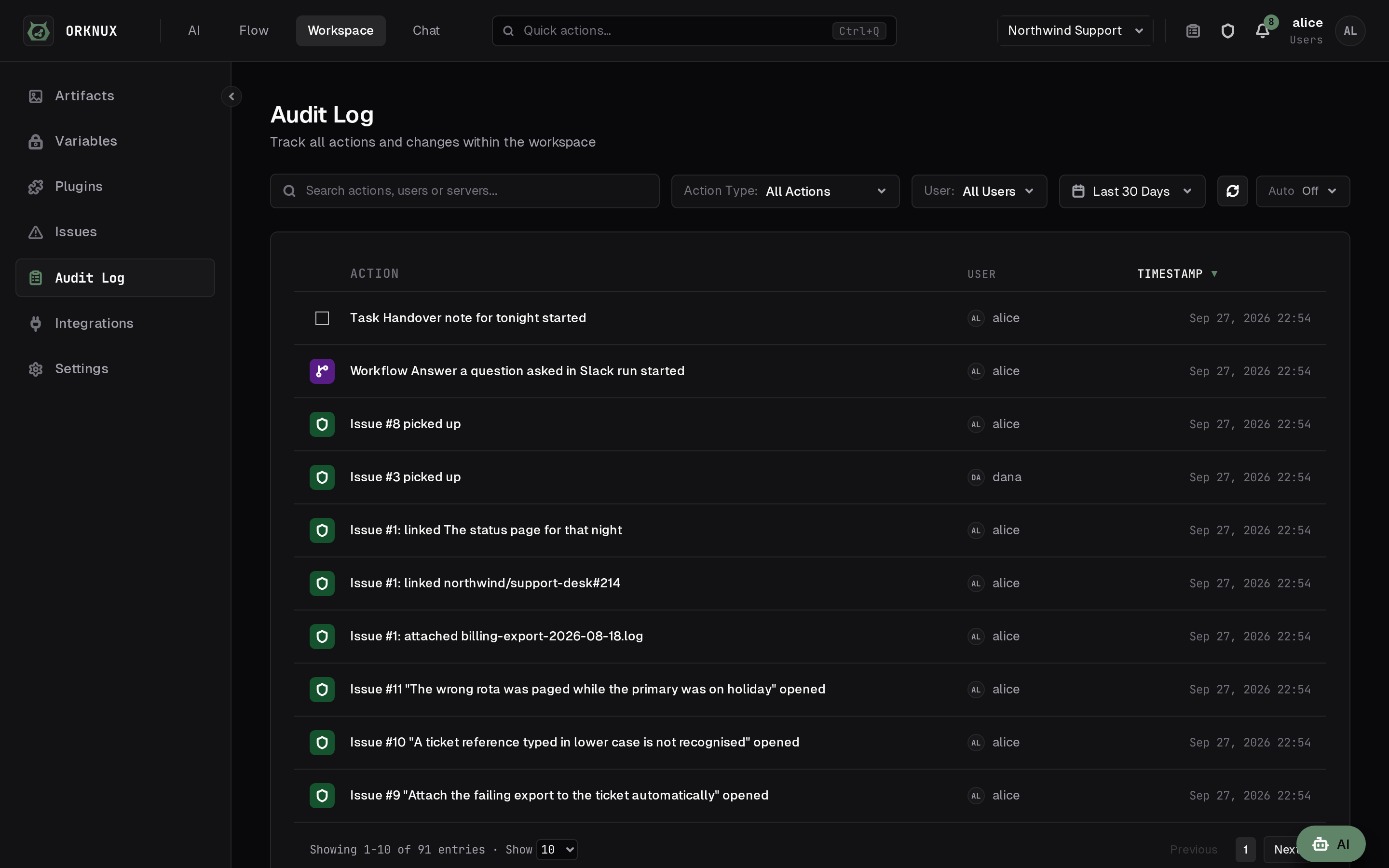
There are two, and the difference matters.
- The organisation audit log records what happened to the organisation:
workspaces created, renamed and removed, their directory group and
description changed, installation-wide switches pressed, and the proxy rules
and shells configured below.
- Each workspace's own audit log records everything that happened inside
it — workflows, agents, models, memory, objects, integrations, chats, issues,
and every command an agent ran on a shell.
Both can be filtered by user and by period, and searched.
Settings
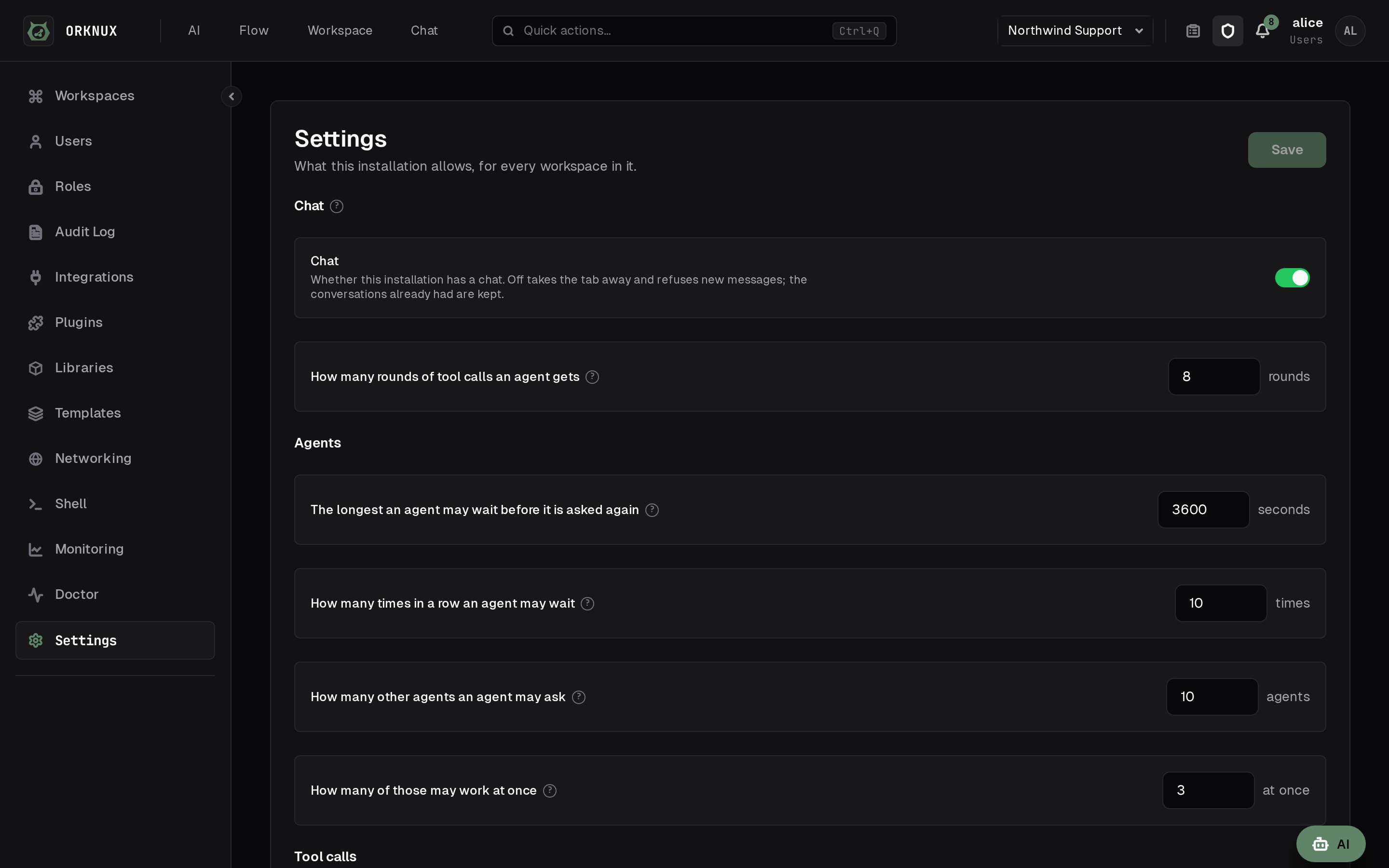
What this installation allows, for every workspace in it.
- Chat — whether this installation has a chat at all. Off takes the tab
away and refuses new messages; conversations already had are kept. A
workspace's own Chat settings go with it — the companion model, the
speech-to-text and the text-to-speech models are a chat's and nothing else's.
The Quick Chat model stays: the AI button is a separate thing under the same
word, and what turns that off is choosing None for its model.
- Files in chats — whether messages may carry attachments. Off takes the
button away; what has already been uploaded stays where it is. It governs the
files put on an issue as well, whatever the label says, and both use the same
storage and the same size limit.
The rest of the page is in sections, each reachable from Quick actions: Agents
(how long one may sleep, how many others it may ask and at once), Tool calls
(how many per reply, and when a repeated call counts as a loop), Tool list,
HTTP tools (whether agents may make requests at all, and where to),
Sessions (when a long one is summarised, how much of each value a transcript
keeps, and whether a conversation can be removed at all), Scratchpads (how
much text and how much in files a session keeps), Drawing and Commands.
Below each switch, in grey, is what the operator set in the configuration file:
where attachments are written, what storage they use, and how large one file may
be. Those are read-only here — a filesystem path is not something to hand a
browser the ability to change.
The configuration file is the floor. An administrator can turn something off
from this screen, but not back on where the file has said no.
How long component history is kept
Every save of a function, a tool, a skill or an agent keeps what that component
was before it, and every publication of a workflow is kept as a version of it;
both are described under Workflows. How many days of that to keep is set
here, and it is fourteen until somebody changes it.
A version is a whole copy — the code, the parameters, the prompt — rather than a
note of what changed, so this is the number that decides how much disk the
history takes. An installation with a hundred functions edited all day is a
different proposition from one with six, which is why it is a setting rather
than a constant, and why it belongs to whoever owns the disk.
It is counted from when a version stopped being current rather than from when it
was written. A prompt composed a year ago and replaced this morning has a
fortnight ahead of it, instead of being swept the moment it is recorded. A
workflow's live publication is never swept, whatever its age: it is not
history, it is what that workflow runs, and a tidy-up that silently stopped a
workflow published two years ago would be a poor kind of housekeeping.
ORKNUX_REVISION_RETENTION_DAYS is what a fresh installation starts at, and
this is the one thing on this page the configuration file is not the floor of:
once an administrator has stored a number here, that is the number in force, and
the page says as much where the two disagree. Between a day and ten years, and
there is no off — a history nobody keeps is a different decision from a short
one, and it would want a switch of its own rather than a zero in this box.
How long a plugin may run
A plugin is a bundle, and loading one costs more than calling a function, so it
has a bound of its own rather than the one a workspace's own JavaScript runs
under. The number is set here, between one second and five minutes, and it
is thirty seconds until somebody changes it.
It is read per call, so a change decides the next call and never one already in
flight. A call that overruns is stopped and says the number it was held to, which
is the difference between "the plugin is broken" and "the plugin wanted longer
than this installation allows".
ORKNUX_PLUGIN_TIMEOUT_MILLIS is the floor a fresh installation starts at.
How long a run is kept
A finished run is kept with its steps, and swept once it is older than the
number set here — ninety days until somebody changes it. A deleted workspace
takes its runs with it whatever this says.
An agent granted http_get, http_request or http_download may fetch any
address this server can reach, and whether that is acceptable is the
installation's decision rather than each agent's author's. This section is
where it is made, for every agent in every workspace at once.
The switch takes the three tools away from every agent. Nobody's grant is
touched — the agent's Tools list goes on showing them, and says why they do
nothing — so switching them back on puts each agent back exactly where it was,
rather than leaving somebody to remember who had held what.
Where they may go is Allow any URL or Allow list. Under an allow
list a request is made only when a rule's regular expression matches the
whole URL and the rule lists the request's method; http_get and
http_download are GET. Unlike a proxy rule, which is matched anywhere in the
address, this one is held to all of it, because a fence that example.com
satisfies from inside example.com.attacker.net is not a fence. An allow list
with no rules allows nothing, and the page says so.
Redirects are not followed, and never were: a Location is a new address, so
it is a new request and meets the same check. A list that allows one host
cannot be walked off by a server that answers with somewhere else.
Whether an address may be requested is the tester. It asks the rules as
they are on the page, before they are saved, and answers which rule allows the
address, or that none matches, or that one matches but not for that method —
and it shows the sentence an agent would be told, because that sentence is
what the agent has to work with when it is refused.
An agent holding any of the three is also given http_allowList, which answers
the policy and how to read it. Asked where it may send requests, an agent used
to answer from whatever tool descriptions it had happened to see; each HTTP
tool now says that the destinations are the installation's decision and that
http_allowList is where to ask, and it is carried with them even where they
are found by search rather than sent up front.
What this does not cover. Functions, JavaScript tools and plugins calling
orknux.http are untouched: they are code somebody in the workspace wrote and
saved, not a model choosing an address while it answers. The proxy rules under
Networking still apply to everything, these tools included.
One Save, at the top
Every number on this page is written by the one Save in its header, and it wakes
only when something differs from what the server holds. The switches above keep
none: a switch that needed saving would be a switch that lies about what it is
showing, so those take effect as they are flipped.
How long before a stuck task is picked up
A task is written down and then handed to a worker, and that hand-over can be
lost — a restart in the moment between the two, or a pool with nothing free to
take it. The task then says Queued and nothing looks at it again. How long a
task may sit like that before something picks it up is set here, and it is
five minutes until somebody changes it.
The same number is how often the looking happens, so a task that is genuinely
stuck is started again within about twice it. It is not what makes this safe: a
task a worker already has is never handed over a second time, whatever this
says, and the interval only decides how long a lost one is left. Between a
minute and a day — below a minute buys nothing, since a task leaves Queued as
soon as a worker reads its row.
ORKNUX_TASK_SWEEP_MINUTES is what a fresh installation starts at, and a stored
answer takes over from there, as with the retention above. The next pass reads
it, so a change needs no restart.
This field is not on the screen of an installation running Temporal. There a
task is a durable workflow, the looking still happens and starts the workflow
again where there is none running, and how long it waits comes from the
configuration file: recovering a stuck task is Temporal's business, and a number
this screen could change would be claiming otherwise.
When a server dies in the middle of a step
A server that is killed says nothing, so whatever step it was working on is
noticed only by something looking for it. Workflow runs has the two numbers
that decide how soon, one for each engine.
Step heartbeat is Temporal's. A step reports that it is still being worked
on while it works, and one that falls silent for this long is handed to a
server that is alive — thirty seconds until somebody changes it. Without it a
dead server was noticed only when the whole step timeout ran out, which for an
agent step was five minutes of a message going unanswered. A run already going
takes a change up from its next step. Zero turns the heartbeat off. Between 0
and 600 seconds; ORKNUX_TEMPORAL_STEP_HEARTBEAT_SECONDS is the starting value.
Agent step goes after a restart is the inline engine's. There a step a
restart cut short is failed, because nothing can say how far it got — with one
exception: an agent answering a message is asked again, since a message
nobody answers is the failure people notice, and the run used to end Failed
until somebody pressed Rerun. This is how many goes it gets in all, the one
that died included, because the step itself may be what is killing the server
and a loop of restarts is worse than a failed run. Three until somebody changes
it, between 1 and 10; ORKNUX_INLINE_RESTART_ATTEMPTS is the starting value.
On either engine an agent step asked a second time does not write its question
into the session again, so the model is not shown it twice and the transcript
does not say it was asked twice.
Monitoring
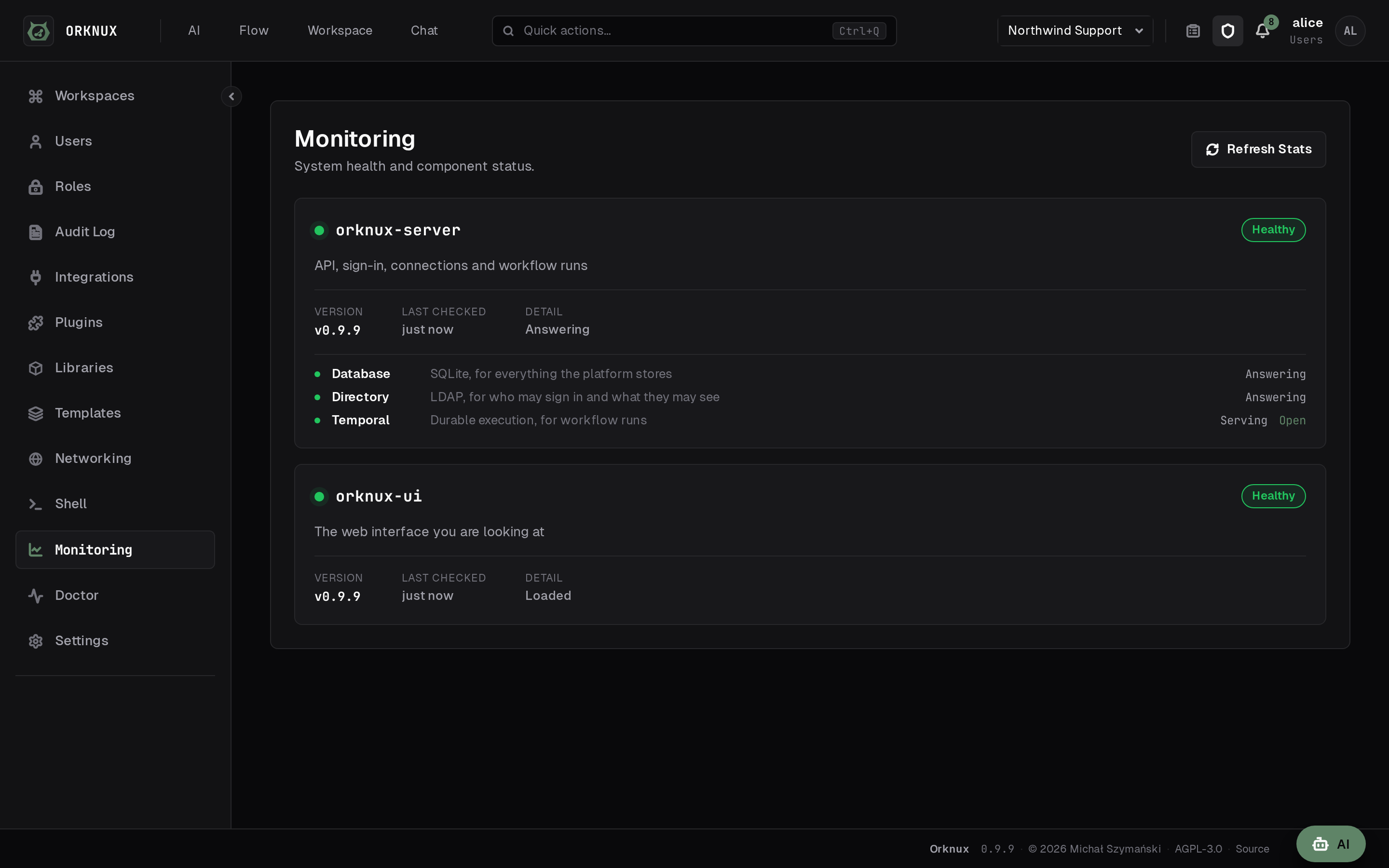
What is answering and what is not: the server, the database, Temporal, and the
connections workspaces depend on. A run's underlying Temporal workflow can be
opened from here and from the run page.
Doctor
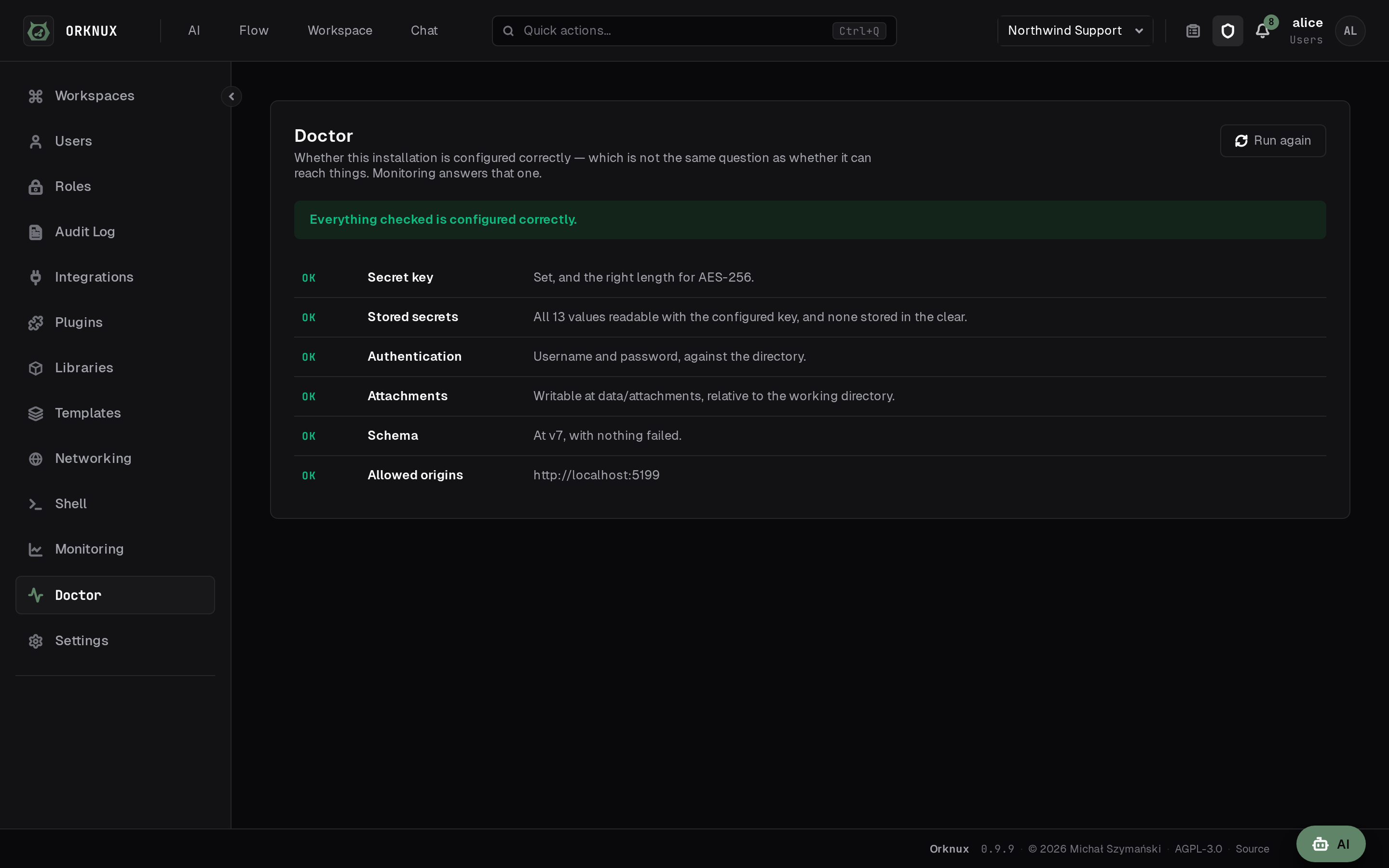
Monitoring asks whether the server can reach the things it needs. Doctor asks
the other question: is this installation configured correctly?
They are not the same, and the gap between them is where the worst faults live.
A secret key that was never set is only validated on first use, so the server
starts, every dependency answers and monitoring is entirely green — while every
credential written hours later fails. Doctor checks the key, the credentials
already stored under it, how sign-in is configured, and the schema version, and
says which of them is wrong rather than that something is.
Plugins
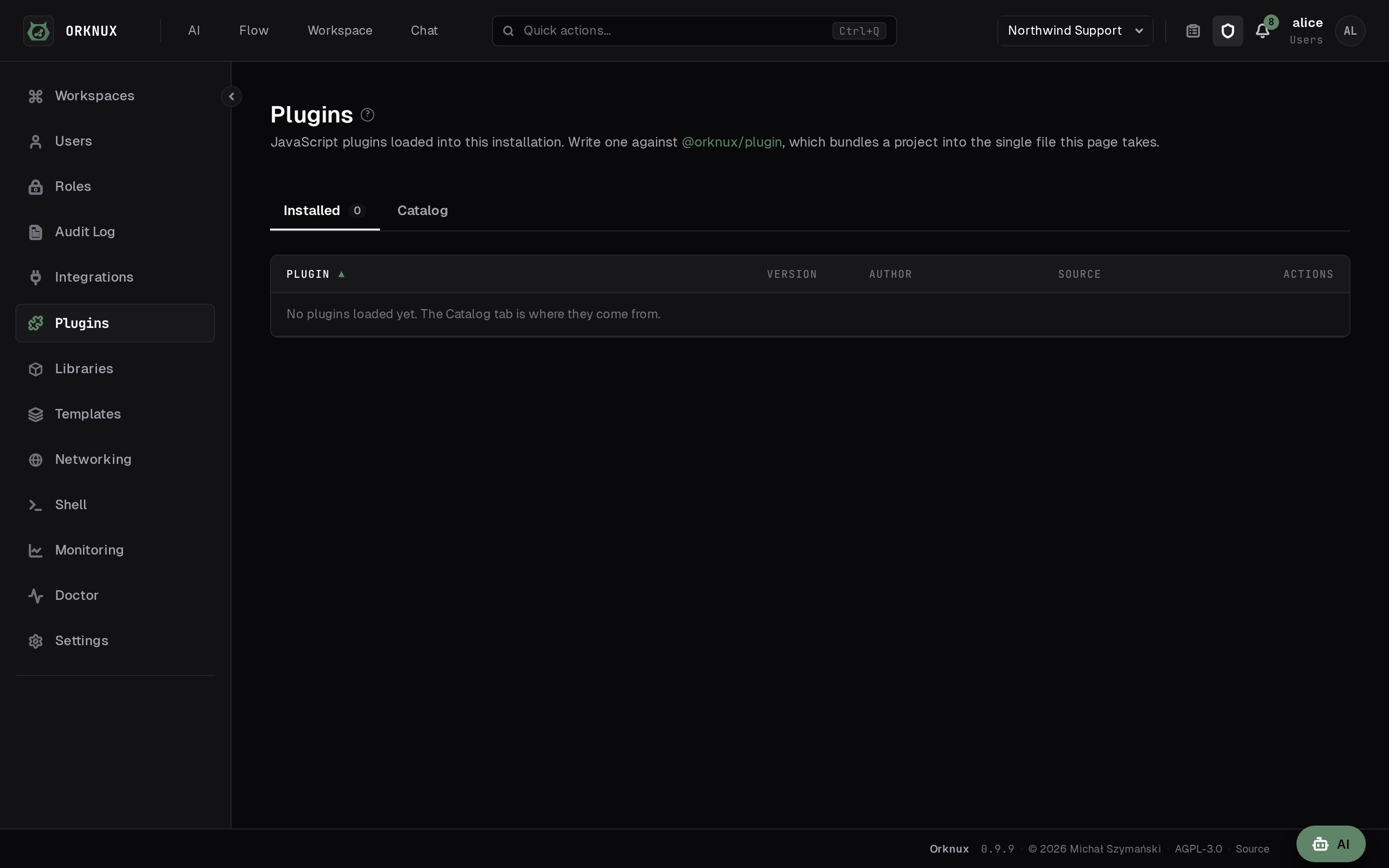
JavaScript loaded into the sandbox to give workflows functions the platform does
not ship. A plugin can be installed from the marketplace, uploaded, fetched from
a URL, or written from the starter this server generates — in JavaScript or
TypeScript — and downloaded again later as whichever of the two it was written
in.
A plugin brings more than functions. It may also bring tools an agent can be
granted, which appear in the workspace's Tools list with the plugin's name
beside them; skills, granted as a catalog of their own; object shapes its
functions return, which a workflow node can hold an answer to; and the
libraries it embeds, which are allowed when it is loaded.
The marketplace
The Catalog tab beside Installed is a shelf of plugins somebody has
published: an icon, a description, tags, and the versions available, searchable,
installed with one press. Three things about it are worth knowing.
The server fetches it, not your browser. Both the catalog and the download go
out through this installation's proxy rules, like every other outbound call, so
an installation behind a proxy reaches the marketplace under the rules it already
has and one with no way out sees an empty shelf rather than a browser error.
The bytes are checked before anything runs. What arrives is hashed against
the digest the catalog published, and refused if the two disagree.
An update is offered only when it is newer than the version held. Each
listing's Changelog tab carries the notes its author wrote for each release,
so what an update contains is readable before it is taken.
ORKNUX_MARKETPLACE_URL decides where the catalog is asked — point it at your
own mirror, or leave it empty and load plugins by hand.
Plugins are not part of this server's release. They live in their own repository
and are written against the @orknux/plugin package, so a new plugin arrives
without a new server.
A plugin's key is its identity, not its filename: loading the same key again
replaces what is there.
A plugin says what it has to be told before it can work, and each workspace
answers separately: the same plugin points at two different projects for two
different teams. The declaration is read off the plugin when it is loaded and
shown here; the answers are set on each workspace's own Plugins page, either by
typing a value or by pointing at one of that workspace's variables.
A workspace that has not answered something a plugin needs is marked on that
page, in the list and against the parameter itself, and a run that reaches one
of the plugin's functions stops saying which parameter is missing. A parameter
the plugin declared as a secret cannot be typed in at all - the only way to
answer one is a variable, which is encrypted at rest and never shown back.
What a plugin can reach is exactly that list and nothing else. There is no way
for one to ask the server for anything it was not given, which is why declaring
parameters is also the answer to "what data does this plugin see?".
What a plugin may use
That answers what data a plugin sees. The other question is what language it
gets, and a plugin says so itself. A bundle written for a browser or for Node
expects builtins this sandbox does not switch on, so a plugin declares which of
them it needs — and the list it may choose from is five names long:
CONSOLE — write to the server's logINTL — format dates and numbers for a localeTEXT_ENCODING — convert between text and bytesPERFORMANCE — measure elapsed timeTEMPORAL — use the Temporal date and time API
That the list is closed is the point of it. There is no name for reading a
file, opening a socket or reaching a Java class, so a plugin cannot ask for
one and nobody can grant one by clicking through a dialog. A plugin naming
something that is not on the list is refused with the list, rather than loaded
having quietly been given less than it asked for.
Loading a plugin that asks for anything stops and shows what it asks for, a row
per name saying what that name allows, over Allow and Load and Cancel.
Agreement is by name rather than by yes: the load carries those names back, and
one carrying anything other than exactly what the plugin declares is refused the
same way. "Yes" would be an agreement to whatever the file happened to ask for,
including whatever it has started asking for since anybody last looked.
Only what was accepted is turned on, and only for the one plugin. The sandbox is
built for each call from that plugin's own row, so a plugin that asked for
nothing gets nothing, sitting beside one that asked for everything.
A plugin edited to need one more is refused with the new list, and the one
already loaded goes on with exactly what it had. An acceptance names the
permissions it was given for rather than being a yes to the plugin, so an
escalation cannot arrive under an answer somebody gave last month. A plugin that
stops asking for something stops being granted it, without anybody having to
remember to take it away.
What was accepted, who accepted it and when are on the row here — allows INTL ·
TEXT_ENCODING · accepted 3 days ago by alice. A decision about what somebody
else's code may do that lives only in a dialog is one nobody can audit.
A bundle whose module body needs a permission cannot be loaded at all, and
only what its run does may need them. Reading the file is the run that finds
out what the plugin is asking for, so it is made with nothing relaxed, always,
and there is no way to say otherwise: running it under permissions would mean
granting something in order to discover whether to grant it. A bundle that
touches Intl at its top level is refused as unreadable — That file is not a
usable plugin: ReferenceError: Intl is not defined — rather than as something
to be granted. Ask for what run needs, not for what loading needs; the starter
this server generates says as much beside the declaration.
console and Intl are no longer free
This is the one thing an installation upgrading to this version has to look
at. GraalJS switches console and Intl on by default, and the plugin
sandbox now switches both off explicitly, because a default that happened to be
on is not something anybody accepted.
Every plugin loaded before this asks for nothing, so it is granted nothing. One
that called console.log or reached for Intl goes on being listed here and
then fails when a run reaches it. The way through is to load it again declaring
CONSOLE or INTL and accept that — no plugin is migrated into a grant nobody
gave.
Workspace functions and tools are not affected. They run in a different sandbox,
which has never taken a permission and has not changed.
Libraries
JavaScript loaded once for the whole installation, which any workspace's
function or tool may import. A plugin brings functions of its own for a workflow
to call; a library brings code for a function to be written with — a date
handler, a parser, something too large to paste into every script that needs it.
An administrator loads one here, and it must be a single self-contained file
— a .js or .mjs file, up to 4 MB. A TypeScript file is compiled in the
browser before it is sent. The file is evaluated once as it arrives, in the same
sandbox it will run in, and what its default export turned out to hold is what
is stored: which names it offers and which of those can be called. That is all
that is claimed about it, because nothing in a bundle says what its arguments
are. A file that exports nothing to import is refused there and then — That
file could not be loaded as a library: it has no default export to import —
rather than at the moment a workflow needed it.
Either spelling. An ES module is run as it stands. A CommonJS file — one
that writes to module.exports or exports.something, which is what most of
npm still publishes — is given those two names as it runs, and what it leaves on
them is what a script imports; a UMD bundle works for the same reason, taking
its CommonJS branch. What is refused is a file that reaches for a second one:
an import of anything at all, and a require("…") in a file being run as
CommonJS. The message says which — its index.js requires "buffer", and a
library has to be one self-contained file. This installation does not bundle.
One caveat is worth knowing, because it is the only thing that cannot be
reproduced: everything here runs in strict mode, so a CommonJS file relying on
sloppy mode fails when it is evaluated — while somebody is looking at it, rather
than in the middle of a run.
A package can be the way the file arrives. Where the installation has a
registry configured, the field beside the upload takes a package and an exact
version — [email protected], never latest, because a version that resolves
differently tomorrow is not an answer to what code is running here. It is
fetched once, on the server, into this database; the file is what is stored and
what runs, and nothing reaches a registry afterwards. Of a package's several
builds an ES module is preferred and a CommonJS one taken where that is all
there is, and the row records which package, which version, from where, which
file inside it, and what the registry said that file hashed to — verified
against what arrived. The file is stored exactly as it was published, so
that hash stays a claim anybody holding the same package can check; a CommonJS
one is marked as such on the row and wrapped when it runs, never on the way in.
An installation with no registry configured draws no field at all and has the
upload alone.
A library's key is its filename without the extension, and it is its
identity: loading a file with a key already in the list replaces it in place, so
nothing importing it is repointed. Each row says what it exports, how large it
is, when it was loaded and by whom.
Under the key is the line the plugins page has no need of: what imports this
— every function and every tool that does, named with the workspace it lives in.
That line is the reason a library belongs to the installation rather than to a
workspace. What code is running inside this installation is a question with one
answer, and a library each workspace loaded for itself would give it as many
answers as there are workspaces, with the useful half of it scattered across
screens no administrator can see. It is also what refuses the removal, so
nothing goes out from under a script that was using it: pressing Remove on a
library something imports answers Still imported — open one of those and take
the import off first, on the row itself, and each name on the line above it
opens that function or tool. The names are the answer, so they are what you
press.
A library is the one thing in the product whose dependants can be in a workspace
the reader cannot open, and the rule for that is worth knowing even though this
screen never meets it: what may not be named is counted rather than dropped
— and 2 more in workspaces you cannot open. Naming a function in a workspace
somebody cannot see would tell them that workspace exists and what is in it, and
leaving it out silently would answer the question with rows missing. An
administrator sees every workspace, so here the count is always zero.
A function or a tool imports one by id, under a local name of its own, in the
Libraries section of its editor. The name is seeded from the key the first
time a row points at one and is never rewritten afterwards, because by then the
code already says imports.dateFns. It arrives in the same frozen imports
object an imported function does; from inside a script there is no difference
worth spelling out. See One function calling another, under Workflows.
A plugin imports none of this. It embeds what it needs, because a plugin is
meant to be portable between installations and one assuming a library had been
loaded here would not be. For the same reason a library does not travel inside a
component file: the file names the library by key, and an import that needs one
this installation has not loaded is refused on the way in — No library called
date-fns is loaded in this installation. Load it first, then import again.
Importing a function should not be a thing that installs software.
Networking
Sometimes one address will not go direct. The case this was built for is the
narrow one: everything works, except a token endpoint the network insists is
reached through a proxy. Setting a proxy for the whole server would be a far
larger decision than that one address asks for.
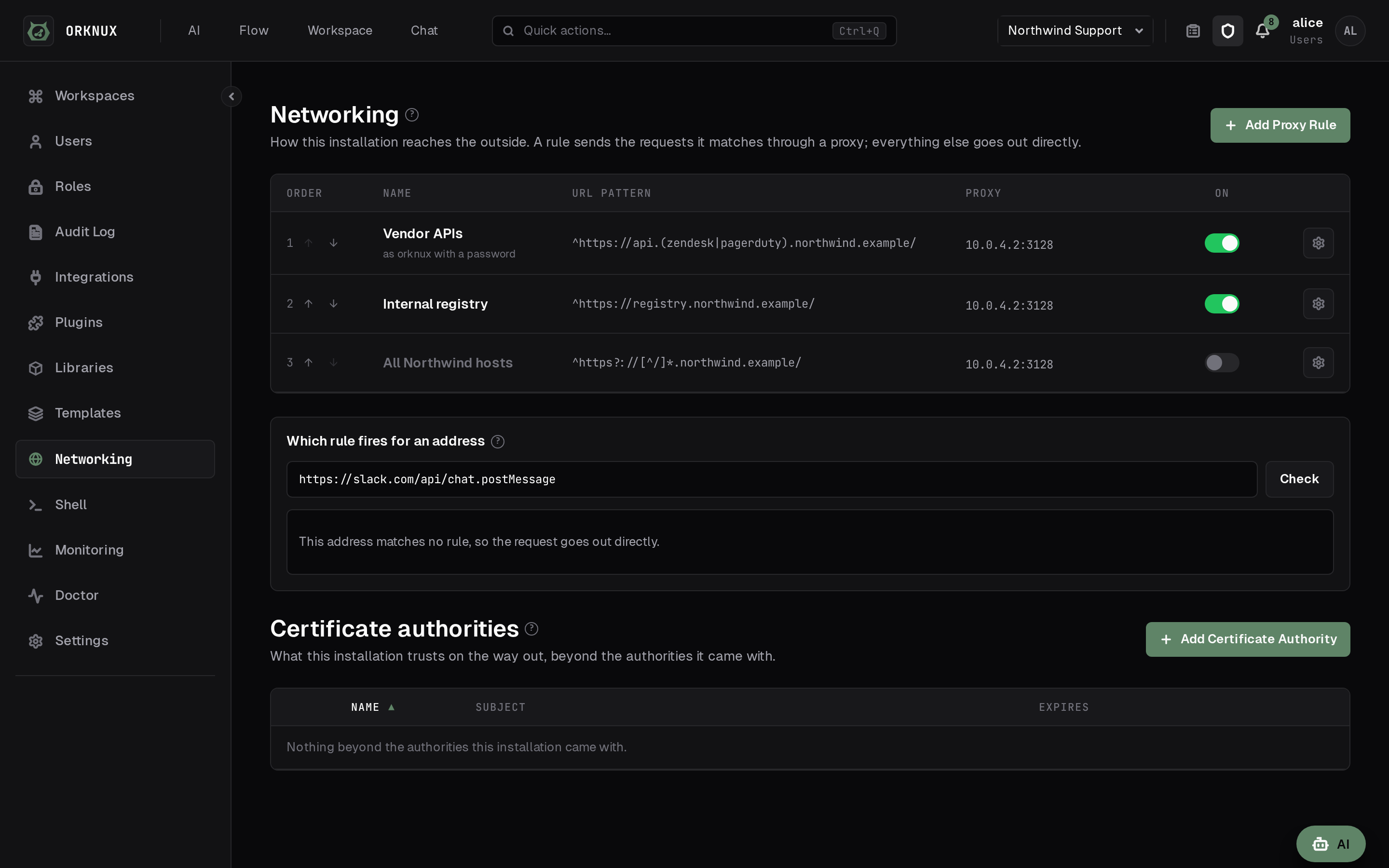
Networking holds proxy rules. A rule is a name, a regular expression
matched against the address being called, the proxy a matching address goes
through, an optional username and password for the proxy itself, and a switch.
The password is encrypted like every other credential here, and no query reads
it back.
The proxy is a host and a port, not a URL. A :// in front of it is
refused rather than quietly accepted: the connection to a proxy is made in a way
that does not use the scheme you typed, so a field that took one would be
showing you a decision it was not making.
The expression is matched anywhere in the address and without regard to
case, so login\.example\.com is enough on its own. Use ^ and $ where you
mean the whole of it.
Rules are ordered, and the first one that matches wins. There is no "most
specific wins", because there is no sound way to say which of two regular
expressions is the narrower; and overlapping rules are not refused, because one
narrow rule with a broad fallback behind it is the arrangement people actually
want. The order is yours to set.
That makes it easy to write a rule that looks configured and does nothing, which
is what the tester on the page is for. Paste an address and it says which
rule answers it, and which rules matched but will never fire because something
above them got there first. It also says if the address itself, or the matched
rule's own proxy, is one this server would refuse to call.
The rules cover every outbound HTTP request this server makes: connection
checks, a workflow's HTTP calls, MCP servers, model providers and the token
grants they need, transcription and speech. They all build their client the same
way, so there is no outbound call the rules do not reach.
Mail is deliberately not covered. SMTP is not an HTTP request, and a mail
server is named by host on the connection that sends through it, so there is no
address for a rule to match.
A proxy rule relaxes nothing. The address being called is checked exactly as it
was before, and the proxy's own address is checked the same way when the rule is
saved - a proxy is where the connection actually lands, so a rule pointing at a
link-local address would turn every address it matched into a request to this
machine's own metadata service.
An agent's HTTP tools meet one more check before any of this: the policy under
Settings, HTTP tools, decides whether the request is made at all, and only a
request it allows reaches these rules.
Administrators only, and every change is written to the organisation audit log.
Shell
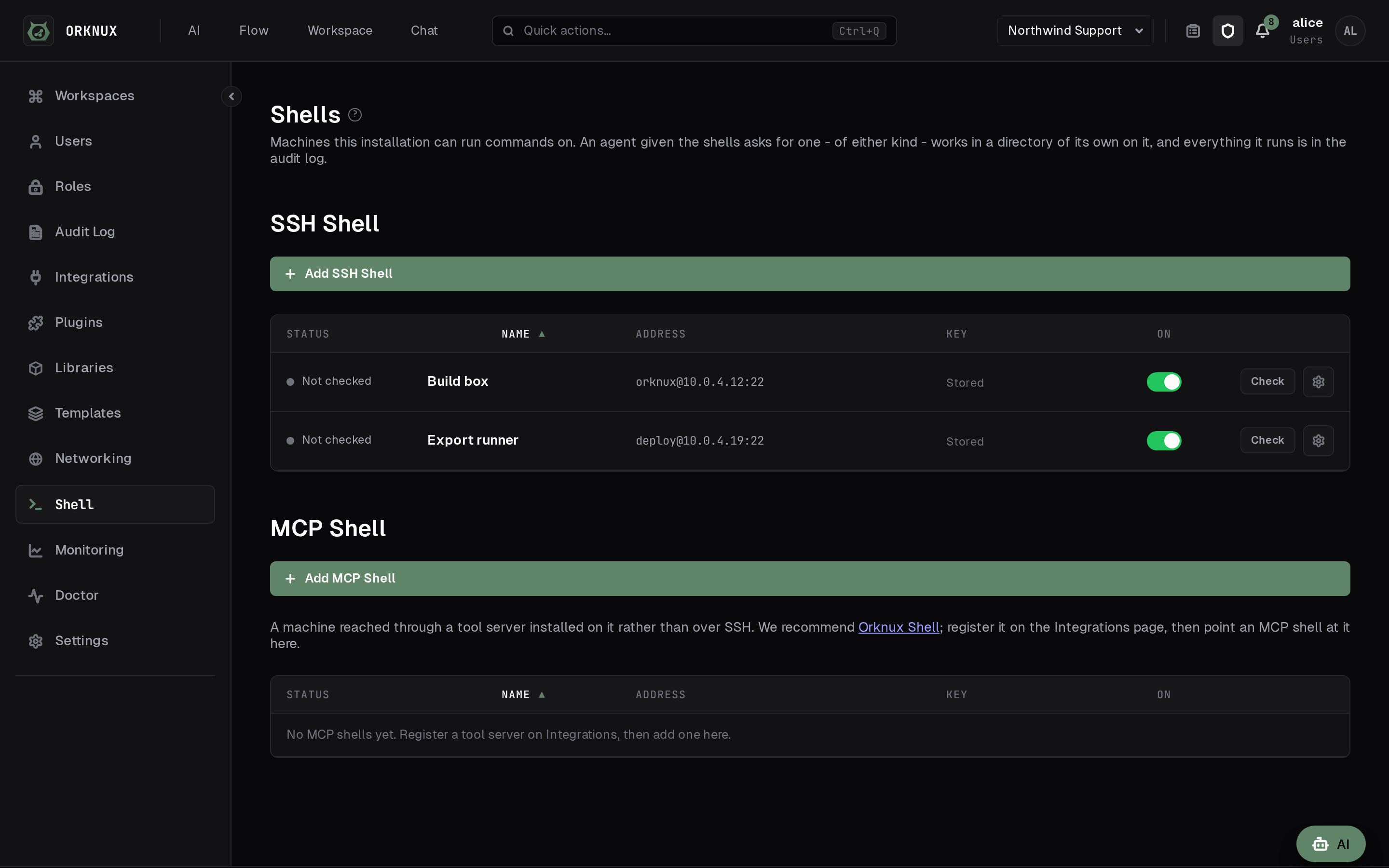
An agent can be given a machine to run commands on. Shell is where an
administrator says which machine, and it is the one thing on this platform that
acts outside it.
A shell is an SSH target: a name, a host, a port, the account to log in as, and
a private key, with a passphrase if it has one. There is no password field,
deliberately. A password is a thing a person types; this is one machine talking
to another, and a key can be issued and withdrawn for one account on one host
without anybody having to change what they know. The key and its passphrase are
encrypted at rest with every other credential here, and no query reads either
back.
The machine's own host key is remembered the first time it is seen and checked
on every connection afterwards, so a host answering with a different key is
refused rather than trusted quietly. Rebuilding a machine means saying to forget
the old key on purpose.
The status against a shell is a real connection - the handshake, the key
accepted, and a command actually run - so a host that answers on port 22 and
refuses every account reads as unreachable rather than as fine.
Giving one to an agent
The switch is on the agent, and it is called Shells, plural. From where an
agent sits the question is "may I run a command somewhere", not "may I run one
on build-box-3": which machine a session lands on is decided when it opens, and
the answer names it. Off for every agent until somebody turns it on, and turning
it on or off is written to the workspace's audit log.
An agent that has it gets three tools: open a session, run a command in
it, and close it. Opening one gives the agent an empty working directory
of its own on that machine and tells it what the operating system is. Closing
destroys that directory and everything in it.
Nothing is held open between commands. A session is a row in the database and a
directory on the far side, and each command opens its own connection, so a
restart loses a socket and nothing else. A session nobody closed is swept after
two hours idle and its directory removed - which also catches the ones a
previous process would have swept had it lived. A command that has not finished
in ten minutes is stopped and says so, and says plainly that the process may
still be running, because closing a channel does not kill one. Output past
256 KiB has its middle removed rather than its end - the beginning and the
end both survive, and a line in the gap says how many bytes went. That way round
because the answer is at one end or the other and almost never in between: a
build prints its banners and its downloads first and cannot find symbol last,
and an assistant handed only the beginning cannot tell a build that failed from
one whose output stopped. A non-zero exit is a result rather than a failure:
grep finding nothing exits 1, and an assistant told "that failed" would
apologise for a search that worked.
Those two numbers are the installation's, and a machine can be given its own
under Limits on its page. A box built to compile things wants longer and
more than a switch that answers show interfaces does - the first build on a
machine that has cached nothing is minutes rather than seconds, and a build that
fails says a great deal more than one that works. Left empty, a machine runs on
whatever the installation says, so changing that afterwards moves every machine
that never asked for anything different.
Every command an agent runs is in the workspace's audit log, under the
agent's own name, with what it exited with.
What contains this
The machine, and nothing in this application.
There is no list of forbidden commands and no classifier deciding which are
safe, deliberately: reading a shell command and saying what it will do is not a
problem that can be solved, and a denylist that is nearly right is worse than
none, because it tells an administrator they are protected while a command that
downloads its own instructions walks past it.
Point a shell at a virtual machine or a container you are willing to lose, give
the account the least privilege that is useful, and read the audit log.
Administrators only, and every change here is written to the organisation audit
log.
The database
Postgres or SQLite, chosen by the connection URL and nothing else:
ORKNUX_DB_URL=jdbc:postgresql://localhost:5432/orknux    # a server
ORKNUX_DB_URL=jdbc:sqlite:/var/lib/orknux/orknux.db      # a file
Everything follows from that one line: the driver, the dialect, and which
migrations are applied. Under SQLite the username and the password are ignored,
a file having nobody to authenticate to.
Postgres is what a deployment should use. SQLite is for the installation of
one person or one team: no second container, no database server to keep, and a
backup that is one file. Everything works on both - signing in, workspaces,
issues, agents, workflows, runs, chat, the MCP endpoint, attachments, password
resets, proxy rules and the shells above - and the tests are run against both.
What differs is underneath.
One writer at a time. SQLite takes a single write lock for the whole
database, so two requests that both write queue behind each other rather than
run together. It is quick enough for a handful of people, and it is not a
database to run a busy installation on.
One machine. The file is the installation. Two servers pointed at one file
over a network share will corrupt it, so SQLite means exactly one process: no
second node, and no rolling restart.
No time zones. SQLite has no zoned timestamp type. The moment is kept and
compares correctly; the offset it was originally written with is not. Nothing in
this interface shows an offset, so it is invisible until something outside reads
the file.
Backups are a file copy, taken when nothing is writing. There is no
pg_dump here. Copy the database together with the -wal file beside it, or
stop the server first.
Two things when pointing it at a file. The directory has to exist already - the
server makes the database, not the folder holding it, and says which path is
missing rather than failing with a connection error. And Temporal is a separate
question: choosing SQLite removes Orknux's own database server, not Temporal's.
Configuration
The settings an operator owns live under orknux in the application's YAML:
orknux:
  chat:
    enabled: true
  attachments:
    enabled: true
    storage: FILESYSTEM
    location: /var/lib/orknux/attachments
    max-file-size-mb: 25
  logging:
    file: /var/log/orknux/orknux.log
    format: json
  temporal:
    ui-url: http://temporal:8080
Name an absolute path for location in a deployment: relative resolves against
the working directory, which in a container is not somewhere anyone goes
looking.
The database URL, the installation's mail server, the address links are written
from, and the first administrator's two variables are configuration too, and are
in their own sections above - each is next to the thing it decides rather than
in a list of everything. Each has an ORKNUX_ environment variable as well,
which is how a container is usually told.


